Friday, November 21, 2008

New name for GSU and FamilySearch?

Ransom Love presentation in March 2008 spoke of changing the GSU nameThe Canadian census press release from FamilySearch received earlier this month sported a new name for the organization, "FamilySearch International," raising the possibility that FamilySearch has acted upon my August 2007 suggestions.

At last Spring's FamilySearch Developers Conference keynote speaker, Ransom Love, mentioned the problem of the many names by which FamilySearch was known and said that the organization would standardize under the umbrella of the FamilySearch brand. (See his slide, above or to the right.)

A quick check in the Utah Department of Commerce Business Entity Search did not yet show any changes to the registrations for FamilySearch or Genealogical Society of Utah but a spokesman for FamilySearch confirmed that the changes were under way. There has been no formal announcement concerning the name change nor specifics regarding how the change would be affect other brands of the organization: the Genealogical Society of Utah, the Family History Library or Personal Ancestral File.

How the change will affect the status of the organization within its parent, the Church of Jesus Christ of Latter-day Saints, has also not been made public and all issues may not have been decided yet. Currently, the organization is known as the Family History Department within the Church, reflecting a reorganization earlier this year splitting the family history and church history departments. While it is known that new identification cards for employees are forthcoming, it is not known if the cards will reflect the FamilySearch brand. Nor is it known if personnel will be employees of the Church or the new FamilySearch International.

An unintentional side-effect of the new name is that a Google search for "FamilySearch International" returns a zillion false hits on "FamilySearch International Genealogical Index." Oh well.

Thursday, November 20, 2008

Visiting NARA: Records in your home town

I recently made my first visit to the National Archives and Record Administration (NARA). This is one in a series of articles inspired by that visit to help you make your first visit to the National Archives.

NARA records available in your home town

Wouldn't you just die if you spent a bunch of money to visit the National Archives only to find that what you want is available in your own library? Don't even ask me about the time I flew to Salem, Massachusetts to visit the Phillips Library of the Peabody Essex Museum only to have them give me a FamilySearch/GSU film.

Many of the most popular NARA records of genealogical significance have been microfilmed or digitized for online access. Like my experience at the Peabody Museum, even if you show up in person to see an original record held by the archive, you'll be directed to a computer or a microfilm if the record is available in one of these forms.

The primary advantage of accessing NARA records from home is, of course, except for a lucky few in the D.C. area, it is cheaper than traveling to Washington. The challenge in accessing NARA records online or at a local Family History Center (FHC) is discovering what records are available, since NARA partners don't always do a good job of allowing visitors to search by NARA publication number or title. I've poked about and collected some information in that regard that should help.

Archives.gov

  • Access to Archival Databases (AAD) - Search electronic records in NARA's custody. A very limited number of records are online.
  • Archival Research Catalog (ARC) - The "card catalog" of the National Archives. A very, very few items in NARA's huge collection have been digitized and can be found using the Digital Copies search or accessed from the Digital Copies tab of any catalog item that has a digitized copy. Detail from ARC shows Digital Copies search button and Digital Copies tab

ARC is a work in progress and currently contains descriptions for just a small number of the items in NARA's collections. And of those items, not all the names have been entered into the People search. I imagine as the 5-year deadlines expire on partner agreements, the resulting names and images will drop right into these slots on ARC.

Ancestry.com

Family meets history page at Ancestry.comAncestry.com sets the standard in helping NARA patrons access NARA publications that Ancestry.com has placed online. Not that it can't be improved upon, but other vendors would do well to check out the minimum standard set by Ancestry.com.

To access NARA collections on Ancestry.com, click the appropriate link shown below depending on where you are trying to access Ancestry.com from.

- Click Home if you are at home, however some collections will require a subscription. - Click NARA if you are at any National Archives location, including presidential libraries. - Click FHL if you are at the Salt Lake Family History Library. - Click Library for a public library or institution with the Ancestry Library Edition by ProQuest.

  • "Family meets history" - Ancestry.com/NARA partnership page. (Home, NARA, FHL, Library)
  • "Records from The National Archives" - Lists NARA records available on Ancestry.com by microfilm publication number, NARA title, Ancestry.com title and microfilm roll count. (Home, NARA, FHL, Library)

The intent of the second page is to list NARA collections alphabetically by publication number, so you can browse through the list. To be more certain, use your browser's Edit > Find (or Search) function and search for the publication number and if necessary by part of the title. The roll count is given so that you can check to see if Ancestry.com has published all the records available. Incomplete collections result when NARA adds additional films to a collection, such as military service records or when Ancestry.com incrementally publishes a large NARA collection, such as naturalization records.

This page is currently created by hand, but Ancestry.com spokesperson, Mike Ward, tells me they are planning to automate it so that it will always be up to date. Until then, you may want to consult the Ancestry Card Catalog in addition to this page.

Family History Library (FHL) Microfilm

Viewing a microfilm record. Image courtesy FamilySearch. I venture to say, if it isn't available online, if NARA has published the records on microfilm then your local family history center (FHC) can probably get a copy on loan from the Family History Library in Salt Lake City. There are 4,500 centers worldwide and most provide microfilm access.

The Family History Library Catalog indicates it has over 1,500 NARA publications available on microfilm.

  • "National Archives microfilm publications" - Click on the link for a list of over 1,500 NARA microfilm publications available from the Family History Library for viewing in a family history center. (Thank's to FamilySearch's David Ouimette for providing this link.)

For more information about using family history centers and microfilm loan fees, see "Frequently Asked Questions."

Identifying the FHL film number corresponding to a NARA publication number is not always straightforward. Sometimes the NARA publication number is listed in the FHL catalog (FHLC), but not always. For example, M881 is cataloged as M0881. And M1819 is not mentioned in its catalog entry. The correspondence between some NARA publications and FHL film numbers is given in these FamilySearch publications:

  • 1790-1840 Census register : a listing of Family History Library microfilm numbers for the 1790-1840 United States Federal Census population schedules
  • The 1850 census register : a listing of Family History Library film numbers for the 1850 United States federal population schedules
  • The 1860 census register : a listing of Family History Library film numbers for the 1860 United States federal population schedules
  • The 1870 census register : a listing of Family History Library film numbers for the 1870 United States federal population schedules
  • The 1880 census register : a listing of Family History Library film numbers for the 1880 United States federal population schedules and indexes
  • 1890 U.S. census : index to surviving population schedules and register of film numbers to the special census of Union veterans - gives FHL film numbers, but not NARA roll numbers
  • 1900 census register : a listing of Family History Library microfilm numbers for the 1900 United States federal census population schedules and indexes
  • The 1910 census register : a listing of Family History Library film numbers for the 1910 United States federal population schedules and indexes
  • 1920 Census register : a listing of Family History Library microfilm numbers for the 1920 United States Federal census population schedules
  • 1930 census register : a listing of Family History Library microfilm numbers for the 1930 United States federal census population schedules
  • Register of New York City passenger lists, 1820-1957
  • Register of Revolutionary War records
  • Register of United States Passports 1795-1925- gives FHL film numbers, but not NARA roll numbers
  • "Computer Numbers for selected National Archives microfilm publications," U.S. Military Records Research Outline - Click the NARA publication number to see the FHLC entry. Click the link on that page to see FHL film numbers. Doesn't show NARA roll numbers.

Next time, I'll look at NARA records available on Footnote.com, either via subscription or at a family history center. And if I don't get bored and go on to something else first, I'll take a look at NARA records available at HeritageQuest Online.

Wednesday, November 19, 2008

NFS Rollout update for Temple Tuesday, 18-Nov-2008

Theoretically, one more temple went live with New FamilySearch (NFS) this week, although there has been no official acknowledgment (that I've found). Mexico City, closed for renovation, was rededicated Sunday and reopened yesterday with New FamilySearch. That brings the total number of temple districts using NFS to 107.

As I predicted, hearing nothing following the release of NFS 0.94 in August 2008 was bad news and almost certainly means that NFS is not coming to the red zone (Utah, Idaho, Vegas) in 2008. Following that release, the rumor mill fell remarkably silent. In the words of one discouraged support volunteer, tired of waiting for NFS to come to the red zone, "we missionaries can't get any more response ... than '...we don't know when.' [Even] we 'insiders' can't get the straight scoop."

New release of New FamilySearch coming

While the red zone may not see NFS this year, following the usual mid-quarter release schedule for NFS, NFS 0.95 should be showing up some time soon. I checked the NFS beta website. It goes away until a new release is imminent. I found it is present, so a new release is coming!

Screen shot of the NFS beta I examined the beta and found a new link on the home page. Circled in green in the screen shot to the right, there is a new icon and link that promotes 3rd party vendors that have certified products that work with NFS. I won't say anything about the page it links to, as it looks preliminary at this time.

The red band across the screen indicates that this is the beta website. This hopefully helps hapless honchos who happen onto the beta, work hours and later wonder who hijacked his family history. The link and icon to the list of recent updates brings up a document that confirms a planned November 2008 release. Since this document is available freely at a well-known URL publicly available to all, I think I can share some of the contents with you.

Be warned, however, that I am not in-the-know and the features I mention may or may not make it into the final release of NFS 0.95.

Jewish holocaust victims

It appears that FamilySearch sponsor, the Church of Jesus Christ of Latter-day Saints is adding a step to the temple ordinance process asking Church members not to submit unauthorized names of Jewish holocaust victims. The Church member is required to read the temple submission policy and click a box indicating compliance.

The policy as stated in a recent Church press release specifies that Church members should not submit holocaust victims for temple rites "except in the very rare instances where [Jewish holocaust victims] have living descendants who are members of the Church." Helen Radkey, Church critic, reports that Church members continue to disregard this policy.

Other improvements slated for NFS 0.95 are

  • Support for Firefox and other Mozilla 2.0 or later browsers.
  • Announcement of certification for another 3rd party desktop genealogy program. I don't know if I can mention which one because I don't know if an announcement has been made or not. Let me get back to you after I ask the RootsMagic "Insider"... Oops... Oh, heck! And I was already in trouble with Gordon Clark for talking with... uh... Never mind.

Latest red zone rumor

I have good news and I have bad news. The good news is, that after an extended draught of NFS rumors, a mailing list participant just shared a lengthy one. The bad news is.... Well..., read for yourself. Jill Crandell said,

I was in a meeting [13 November 2008] with [high ranking FamilySearch official,] Craig Miller. He indicated that the goal was to have the remaining temple districts online by the end of 2009. However, they are in "research" mode, and they can't determine how long it will take them to solve the problem of the very large records when the LDS pioneers are merged. He said they have some records where there are thousands (maybe tens of thousands) of entries for the same person. ... The roll-out is on hold for the rest of us until that problem is solved.

In the meantime, they [FamilySearch] recognize the problem of people on the Wasatch Front submitting temple work that is not being checked [for duplicate ordinances in NFS temples]. They feel that they will ... be able to update the IGI and nFS [before] they solve the [large record] problem. So, [relief is coming] for those concerned about duplication of efforts, [and] is coming sooner than we will be on the new system.

It could be sooner than the end of 2009. But of course, there was a previous goal to have it out by the end of 2008. And one before that to get it out by 2007. And....

Sorry. Remember: don't shoot the messenger!

Helen Radkey

This is another in a series of encyclopedia-like articles written by the Ancestry Insider. Some serve as extensions to my failing memory while others give me someplace to link to for information that may not be known by all readers.

Helen Radkey

Helen Radkey, courtesy AmericanAtheist.org
Helen Radkey
Courtesy AmericanAtheist.org

"Helen Radkey is an international renowned religion and genealogical researcher, writer and lecturer," according to her speaker bio from the 2003 convention of American Atheists. In 2002, Alana Newhouse, interviewed Radkey for an article in the Jewish newspaper Forward. Newhouse identified Radkey as a minister in the independent Universal Life Church, a tarot card reader, a former Catholic, an excommunicated Mormon and a past-life therapist who makes ends meet as a bookstore employee.

But Radkey seems to have found her calling in life researching the International Genealogical Index (IGI). Find an article critical of the Church of Jesus Christ of Latter-day Saints (sometimes called the Mormon Church) and its practice of performing baptisms for deceased individuals and you will find Radkey's name.

In addition to Jewish Holocaust victims, her past revelations about the IGI have disclosed that vicarious temple rituals have been performed for famous saints, sinners and fictional characters. (Reuters) Radkey's revelations about the IGI are consistent with the way she described her writing to the American Atheists: "provocative and controversial."

Yet Radkey is a woman of contradictions.

Radkey has pitted Jews against the Church of Jesus Christ of Latter-day Saints. "She has been a prime mover behind the outcry over posthumous Jewish baptisms... She's a darn good part of the reason why anything has gotten done on this issue." (Forward)

On one hand, "according to Radkey, ... the church has not properly monitored the names offered for baptisms." On the other hand, she says, "Learning about Jewish names is a specialized skill, which took me years to develop, and it is not always possible to know by a name if the person was Jewish. Most Mormons who handle the processing, including deletions, of Jewish names from the Mormons' database would not know a Jewish name from the back end of a hoe." (Forward)

Radkey has pitted Jews against Catholics. "I can't be a part of any church that did what the [Catholic] Church did to the Jews," she said. (Forward)

Radkey has pitted gays against Catholics. "The Catholic Church ... is out of touch with social reality on the gay issue and has itself caused immeasurable damage to society because of its large number of pedophile priests." (Deseret News)

Radkey has pitted Catholics against the Church of Jesus Christ of Latter-day Saints. "I personally had a meeting with Vatican officials in November 1998 over the proxy baptism of Catholic saints and popes, so I'm happy to see some kind of resolution [against the Church of Jesus Christ...]," she said. (KSL)

Radkey has pitted Jews against Jews, saying, "Why have these Jewish leaders collectively abdicated their moral and ethical responsibility to ensure that the provisions of the agreement [between Jewish groups and the Church of Jesus Christ of Latter-day Saints] are finally and firmly enforced?" (JewishGen.org) "In an e-mail sent to Aaron Breitbart, senior researcher at the Simon Wiesenthal Center, Radkey lashed out at [Ernest] Michel, [chairman of the World Gathering of Jewish Holocaust Survivors]. (Forward) Forward observed that "to seasoned observers, hearing this Catholic-cum-Mormon-cum-wannabe-Jew telling an esteemed Holocaust survivor and organizational leader how to represent a Jewish cause might seem like some sort of interfaith 'Twilight Zone.' "

On one hand, Radkey expresses a desire to be part of Judaism. On the other hand, she says "the rabbis here don't want me." (Forward)

Radkey has pitted the Church against Jewish groups. In September of 2002 Radkey asked the Church to pay $30,000 plus continued payments if she would give them a list of Jewish names she had uncovered in the IGI. The Church declined. (Forward) Later that year, Ernest Michel met with the Church armed with a report prepared for him by Radkey. (CNN)

Throughout the contradictions, Radkey's self description remains true: "provocative and controversial."

Tuesday, November 18, 2008

Serendipity in Genealogy: Nothing on earth left to do

It's coincidence, hunch, synchronicity, fortuitous luck, guidance, paranormal, spiritual, karma, ESP, visitation, life-after-death, fate, divinity, genetic memory, providence, intuition, Deity, inspiration, psychic, revelation, subconscious reasoning, numeracy, vision, sixth sense, collective subconscious, dream, reincarnation, educated guess, inner voice, out-of-body journey, chance, non-mechanical reality, portent, omen or "the sheer cussed ... wonder of things." (Jones, Psychic Roots, p. 81.)

We call it Serendipity in Genealogy.

Nothing on earth left to do


"Angel of the Aurora"
Credit: Suzanne Ruby
Courtesy SkyChasers.net

In late 1992, Billie's husband came into the house, sat down in his favorite chair and passed away.

Billie's husband—we'll call him Robert—was a volunteer at a Family History Center (FHC) in Southern California where he worked the Tuesday shift. Unbeknownst to Billie, in frustration Robert had been telling other volunteers at the center that he had exhausted all possible research avenues on his father's line and was unable to break past the road block.

"I don't know what on this earth I can do to get more information," he reportedly said.

Three months after her husband's passing, in early 1993 Billie received a letter from England addressed to Robert. A woman had discovered his address in the files at the Family History Library years earlier and wondered if they shared a common lineage. The relative confessed she had meant to write for some time. She provided enough information that Billie was able to verify they shared the same line. She quickly returned a response and asked her husband's newly found English relative if she had additional information.

With joy Billie received a response a few weeks later extending Robert's father's line back six generations.

What led this relative to finally make contact at this time? Why this relative who had the exact information Robert sought? And why so soon after Robert's death?

Serendipity, of course.


Adapted from "Unexpected query," Billie Myers Hawkins, LDS Church News, 15-November-2008, p. 16.

Monday, November 17, 2008

Visiting NARA: Colored sheet finding aids

I recently made my first visit to the National Archives and Record Administration (NARA). This is one in a series of articles inspired by that visit to help you make your first visit to the National Archives.

Colored sheet finding aidsColored sheet finding aids

National Archives staff have prepared over 160 pages of finding guides to assist researchers with their most common records. These guides are printed on various hues of colored paper. They can be found on a rack in the lobby once you arrive at the Archives.

While the National Archives has decided not to put these guides online, fortunately, the Mount Vernon Genealogical Society has decided to fill this void. The Mount Vernon Genealogical Society is located in the Washington, DC suburbs where society members are lucky enough to make frequent visits to the National Archives. Some members work there.

Harold McClendon, publicity chair for the society, says,

To make these sheets available to everyone, the Mount Vernon Genealogical Society is placing all of the guides on its web site in PDF format.  The guides are organized into the following categories:  African Americans, Asian Americans, Census, Citizenship, Civilian Federal Employees, District of Columbia, Early Congressional Private Claims, Immigration, lands, Military, Native American and 1885 State and Territorial Censuses.  As new sheets are issued by the National Archives, copies are being added to the web site.

To access these finding aids, go to http://mvgenealogy.org/NARA_Guides.html. McClendon recommends printing the guides related to your research.

As you review the guide, you will then be better able to determine the specific publication to review in search of  the desired records.  You might even find that the National Archives has publications that you never knew existed.

Thank you, Harold McClendon and the Mount Vernon Genealogical Society for extending this service to the genealogical community.

Tuesday, November 11, 2008

Giving Your Family Tree for Christmas

Reader Fawn Eutzy writes,

I am attempting to find the pricing for ancestry.com  I want to have a family tree style book made for my mother for Christmas & I am not sure the exact way of getting the information and having a book made without spending hundreds of dollars. Any suggestions and direction?

Thanks so much

Fawn Eutzy

Publishing your family tree as a gift for loved ones is a wonderful idea, but it is not without cost. Your primary cost will be in hours of preparation. And I'm always surprised how expensive a professional quality book runs. For your children, an electronic copy (PDF) can be as satisfying as a physical book. But for an older relative, nothing will be quite as meaningful as something they can hold in their hands and smell as the pages are turned for the first time.

While Ancestry.com is not the only way to publish a family tree book, it is the only one offered within my stated editorial coverage. And it is the only one I've tried. Fortunately, they also address the two costs mentioned above.

Cost in dollars

Building your tree in Ancestry.com is free. Building your book in Ancestry.com (and their MyCanvas system) is also free. And printing your book to your own printer or to a PDF file is also free. If you don't already have a PDF printer driver, you can buy one, but Dick Eastman reviews several free PDF printer drivers.

Having the capability to produce a PDF copy of your book gives you the freedom to find the most economic place to print your book. That may be Ancestry.com or it may be another online or local printer. Lulu.com is one of the more well known print on demand online printers. A Google search for "print on demand" will give you more choices and more information. Most local printers can also do print on demand jobs, including major copy centers such as Kinkos (now called FedEx Office) which offer cheaper cover/binding choices for the truly economically minded.

Costs for professional printing using Ancestry.com's MyCanvas start at $35 for a basic book of up to 20 pages. Larger pages and higher quality covers add to the price. Additional pages are 0.50 for 11 x 8.5 inch pages or 0.80 for 14 x 11 inch pages.

Cost in time

Ancestry.com gives the capability of automatically generating all the pages of your book from your online tree, which can save a substantial amount of time in creating your book. First upload your tree via a GEDCOM file. Then before you create your book, upload a primary photograph for each person on your pedigree. Other photographs can be uploaded later, but any primary photographs for persons on your pedigree will automatically be included at the appropriate places when you create your book.

If you have an Ancestry.com subscription, you can also use the shaky leaves to attach records to individuals on your pedigree. These records will also be included in your automatically created book, but can quickly bloat a 5-generation book to a hundred pages and an $80+ price tag per book.

Another time saver is the ability to use photographs you've already uploaded to Ancestry.com, MyFamily.com, SmugMug or Picasa.

If you're really pressed for time, consider creating a pedigree chart poster. I gave one to my mother last year and she loves it. Well, she tells me the picture of my father at 4 years of age is actually his brother... But other than that, she loves it.

Monday, November 10, 2008

Ancestry.com ombudsman

In a recent article, Ancestry's Ranked Search, I crossed the line and called GNW "stupid." I should not have done that. I am sorry. From this point on, I will not be making nor allowing personal attacks on this blog. I have gone back and re-written the offensive article. And I am temporarily turning off reader comments.

Explaining a joke

Nothing sucks the humor out of a good punch line like needing to explain it. I hope the same is not true of creative writing, but in this situation those I've offended deserve an explanation.

On the surface, each of my articles has an initial layer or level of meaning which is, hopefully, informative and entertaining.

In recognition of the great conversation, in my writing I try as often as possible to include a second layer of meaning for the well educated. I try to invoke a reference to some part of culture, general knowledge, literature, science, etc. Whether to a movie, a book, an author, or something else, each is an unstated, intellectual challenge between friends.

Such references are sometimes subtle and sometimes blatant. For example, the article Indexing Tora! Tora! Tora! has several references or inside jokes. "Tora, Tora, Tora" is the most obvious, for history and movie buffs. "Laurels" is a pun for a smaller audience, LDS Church members. And for the smallest group of all, the oriental characters contain an obtuse pun between the Japanese phrase "tora, tora, tora" and a Chinese word for mediocre. (I was delighted to receive an email from a reader who recognized the Chinese half of the pun!)

This last one is an example where I've added a third-level of meaning to an article. Sometimes the second level references are just for fun. But whenever I can, the inside reference itself contributes an additional meaning to the primary topic. The second-level Japanese/Chinese pun on the word mediocre re-enforces one of the editorial criticisms I leveled in the article. Simultaneously, it forms a triangular relationship by invoking the idea of awakening sleeping giants. In this case, Ancestry.com and FamilySearch.org are the giants, each sleeping in its own way.

With three-levels of meaning, when you add in research and fact-checking, it is no wonder it takes me almost an hour a paragraph to write my articles!

Other examples:

  • PAF, NFS and the Princess Bride is an interesting example that had no first level. It was written entirely in the second level, with the third level carrying FamilySearch news and issues.
  • Did you recognize the album title alluded to in the article, Triplets of different mothers?
  • Census Image Quality contains several famous quotes from Jane Austen's Emma. Did you catch them all?
  • The title of Misadventures in Indexing is a reference to a similarly titled series from one of my favorite bloggers. I received a letter from a puzzled reader unfamiliar with the reference and consequently confused by the title.
  • Shootout at the OK Corral is an obvious and simple second level reference to an historic event in Tombstone, Arizona.
  • Ancestry's Ranked Search, the offensive article, has a blatant reference to pop culture, the House television show. On the first level I presented the philosophy behind Ancestry's Ranked Search. On the second level I presented Dr. House's assumptions about people. On the third level, I responded to GNW as though I were Dr. House.

I am stupid

Boy, that was stupid. I assumed I could write using Dr. House's offensive style and readers would see it as a caricature, whether they were familiar with the show or not. I assumed that an offensive caricature would not offend anyone (just as we are able to laugh at caricature in cartoons and on Saturday Night Live). In hind sight, these assumptions were wrong. I apologize to all whom I offended.

I also apologize for criticizing complainers about the lack of actionable examples. Without experience in the software industry, it isn't very fair of me to expect you to be able to write a good bug report ("actionable example"). I don't doubt your earnestness or sincerity. Witness Reed, who must have spent at least an hour writing up a response with statistics on user complaints from several message threads on the Ancestry.com blog.

The ombudsman no longer

When I took on new search I hoped to identify the problems and get them fixed. I had precious little time to spend looking for the problems myself, so it seemed logical to elicit bug reports from the many complaining customers. Ironic that instead of getting your problems fixed we merely offended each other.

In closing, I have decided I will no longer assist readers in getting Ancestry.com bugs fixed. It was very gratifying to be able to help many of you. While an employee of Ancestry.com I had the time, the access and the motivation to see your issues through to completion. None of these are true any longer.

My news coverage of Ancestry.com will remain unchanged. And my education and persuasion attempts will continue for advanced search technologies like relevance ranking and context-enabled searching. So stay tuned...

Friday, November 7, 2008

Visiting NARA: Pulling Records

I recently made my first visit to the National Archives and Record Administration (NARA). This is one in a series of articles inspired by that visit to help you make your first visit to the National Archives.

Pulling Records

Records on microfilm are self-service (open stack) and can be accessed at anytime, but original records are not directly accessible to the public, requiring a NARA employee to pull the records from private stacks for patron use. Normal pull times are 10am, 11am, 1:30pm and 2:30pm. On Wednesday, Thursday and Friday there is an additional pull at 3:30pm.

A specialist at one of the reference desks must approve your pull request (to see that you've included all the necessary information) before you can submit it. During my visit staff members arrived several minutes prior to the pull time to gather up the forms to allow the pull to start right at the scheduled time.

There are limits on the number of pulls you can submit, but I'm not certain what they are.

Once an item has been pulled for you, it is available for multiple use for several days (I think up to 30), even during extended hours. What you don't want to happen is to find yourself at 2:30pm (3:30pm Wed.-Fri.) with no records pulled and no requests in and nothing to do. (Although even that is not the end of the world. You could still use microfilms and several subscription web sites on the patron computers. Stay tuned for more information about the available records online.)

The Reference Service Slip (pictured below) is used to request a pull of most record types (motion picture, sound recording, maps and generic textual records). You'll use this slip for records you track down in the Finding Aids room.

Reference Service Slip - textual records, etc.

Military service records use a special pull request form, the Request for Military Records. For indexed military records, you have to consult the index on microfilm and fill out the proper file numbers. Don't worry; there are handouts to guide you through the process and consultants at the reference desk.

Request for Military Records

In the future I'll talk about the procedure to see the records. I may go through an example in detail.

Wednesday, November 5, 2008

Visiting NARA: Research Card

This is one in a series of articles about visiting the National Archives and Record Administration (NARA). The information in today's article is a mixture of personal knowledge from my recent visit to Archives I and information from General Information Leaflet (GIL) 57, Guidelines for Using Historical Records in the National Archives and GIL 71, The National Archives in the Nation's Capital – Information for Researchers.

 
NARA Archives I Research Rooms Map
Map of NARA Archives I Research Rooms.
Not completely accurate or to scale.
© 2008, The Ancestry Insider.

Research Card

To view original records, you'll need to obtain a researcher identification card. While the website and GIL 71 state that you can register for a research card during extended hours, my wife was not allowed to do so at Archives I.

I got my research card at Archives II, so forgive me if the process is a little different at Archives I. Ask at the reception desk, but I believe you'll proceed past the information desk into the next room, and then go to the far left end of the room. To receive a research card, you must be 14 years of age or older, have a photo identification and a rudimentary knowledge of what records you intend to examine.

You'll read through a short slide presentation on a computer that covers the basics of record handling. After 20 to 30 slides taking 15 to 20 minutes you'll fill out and submit a form with your contact information. Then you'll go and get your picture taken. They will then create and give you your finished card. You can see mine to the right.

My NARA Research Card Once you have a research card, anytime you sign in to the archives or to a research area, you can jot down your research card number in lieu of your contact information. If you skipped signing in at the reception desk and/or the reference desk to get your card, return to each and check to see if they want you to sign in.

For more information, read Getting a Researcher Identification Card.

Tuesday, November 4, 2008

Visiting NARA: Hours and Security

This is one in a series of articles about visiting the National Archives and Record Administration (NARA). The information in today's article is a mixture of personal knowledge from my recent visit to Archives I and information from General Information Leaflet (GIL) 57, Guidelines for Using Historical Records in the National Archives and GIL 71, The National Archives in the Nation's Capital – Information for Researchers.

Before you make your visit to the National Archives, it's suggested, although not required, that you call ahead and verify current hours, pull times and availability of your records of interest.

Hours

The best time for your first visit to Archives I is during business hours, Monday through Friday, 9:00am to 5:00pm, since specialists are available to help you and original records can be pulled for you. Congress has funded extended hours for the remainder of 2008 for Archives I to be open Saturday (9am to 5pm) and evenings on Wednesday, Thursday and Friday (9am to 9pm).

Normal pull times are 10am, 11am, 1:30pm and 2:30pm. On Wednesday, Thursday and Friday there is an additional pull at 3:30pm. Plan on arriving at 9:00am to allow time to make it through security and submit one or more pull requests no later than 9:50 in order to have original records pulled in the first pull. Wait to get your research card until after you've submitted your pull request. More on pulls later.

Security

 
NARA Archives I Research Rooms Map
Map of NARA Archives I Research Rooms.
Not completely accurate or to scale.
© 2008, The Ancestry Insider.

When you enter Archive I (remember to enter from the Pennsylvania Avenue side) you'll find yourself in the security area, as shown at the bottom of the map to the right. You'll immediately be directed to your right to pass through airport-style security. Then you'll proceed to the security desk to register your electronic equipment and personal documents.

To prevent documents from being stolen from the archives, you should not bring any documents with you. If it is absolutely essential, you'll have to justify the need with the security officer who will probably do something to identify your documents so that you can take them with you when you leave. I didn't bring any, so I don't know what they do. Maybe they stamp them all or fill out a document receipt so they can be readily identified as your personal property when you leave. This makes it easy for security when they inspect you on your exit of the facilities.The archive will supply paper and pencils for note taking.

After signing in, the security guard will give you a building pass that you must clip to your clothing and display at all times. If you plan on using original records, be sure to get the color that allows that. I think it is yellow.

Equipment receipt

You'll be asked to show laptops, digital cameras and other electronic equipment. With prior approval, you can even bring flatbed scanners. The security officer will fill out an equipment receipt identifying the serial number of some of the devices you bring in to facilitate easy checkout when you exit. For multi-day visits, save your receipt; it is good for 90 days.

Lockers

Proceed past the security desk and straight on into the next room. If you have a quarter, turn left and go all the way into the locker room. You need a quarter for your locker, so if you don't have one, turn right and go all the way to the cashier who can make change for you.

Stow all belongings, briefcases, backpacks, boxes, laptop cases, handbags, coats, jackets, sweaters (if you aren't wearing it), etc. in a locker. Keep nothing but your wallet, money, photo ID and/or research card, approved notes, laptop and digital camera. Lockers are available in all sorts of sizes, regardless of how big your need is. Slip the quarter into the lock on the inside of the door. Close the door and take the key with you. The quarter is refundable, so you can get in and out of your locker as often as needed. When you open your locker, retrieve your quarter from the slot beneath the lock.

Sunday, November 2, 2008

Introducing the “Ancestry Toolbar”

I love Ancestry.com. One idea I pushed while I was at Ancestry.com was a browser toolbar. To the best of my knowledge, no actual work was started before I left. Now, a little short of four months later... (Yikes! Four months! I forgot to exercise my stock options! Shoot! Ancestry.com, I don't suppose you'd give me a 30-day extension? But I digress...)

I suppose someone may have been working on it, but as fast as Ancestry.com's developers are, it wouldn't surprise me if this entire project has been put together since I left. It looks like they've utilized some Yahoo code libraries or such to do it.

"To do what?" you ask?

toolbar-with-arrow

The Ancestry Toolbar.

To see their announcement, click on Introducing the Ancestry Toolbar. Basically, it's a browser toolbar that lets you attach information and photos you find on the Internet to your Ancestry member tree.

I love this concept. I still need to try out their implementation, however. Attaching a record you find on the web to your Ancestry member tree is analogously to attaching records that you find on the Ancestry.com website. This is really slick stuff and is another step forward in allowing researchers to pursue "source-centric" genealogy.

Private message to Kenny

Dear Kenny (Ancestry.com's product manager for trees),

Kudos! And thank you very much.

I have some suggestions to make trees even better. Your approach is, of course, photograph and text-blob driven because you suspect it will appeal to a broader audience. That's fine, because even serious genealogists, as opposed to those interested more in winning the game of pedigree bingo blackout than they are in a laborious search for people to whom they can prove a relationship, even serious genealogists like and enjoy photographs and biographies. In fact, I'd venture to say we enjoy them even more, being more likely to savor the real people we come to know through rigorous and thorough seeking. And that's not even factoring in the important research tool that these artifacts are.

There are three simple improvements you can make to Ancestry.com's tree system that would give a huge return in capability.

  1. Treat web-based and disk-based records and artifacts on an equal footing.
  2. Treat Add a life event and Save record to tree on an equal footing.
  3. Treat non-Ancestry.com records on an equal footing with Ancestry.com records.

For each of these three points you have code that conceptually does the same thing in two different ways. You already have all six pieces of code. A little UI work, a little duct tape, and voilà: magic.

Let me elaborate.

  • I can upload photos from my local disk. In the same interface, let me also specify web addresses.
  • I was too lazy to try this. If I use my browser to view a photograph file on my local computer, will the Ancestry Toolbar work if I click Save? What about a photograph file out on the web? Or does it only work when viewing an HTML page?
  • There are two ways to add a life event to the timeline on the Person Page (Add a life event and Save record to tree) and neither one gets it totally correct.
  • Add a life event lacks the ability to produce the historical record link on the timeline display:
    Add a life event can't produce an event that has a historical record link
  • Save record to tree doesn't support the full range of life events or key pieces of information for many databases as does the Add a life event code. There is no way to set the event type or to add desired fields. In the example below, date and location are known, but the tree system doesn't allow specification of a residence event or the date and location.
    Save record to tree doesn't allow event specification or addition of missing fields
  • If I upload a photograph of a record, no life event is added to the timeline.
  • If I use the Ancestry Toolbar to Save a record, no life event is added to the timeline.

Making these three improvements would make Ancestry.com the premier online tool for source-centric genealogy.

We now rejoin our regular blog article, already in progress

More information about the Ancestry Toolbar can be found in the Ancestry Toolbar Help.

Download the toolbar here from Ancestry.com.

Friday, October 31, 2008

Visiting NARA: NARA Publications

I recently made my first visit to the National Archives and Record Administration (NARA). This is one in a series of articles inspired by that visit to help you make your first visit to the National Archives.

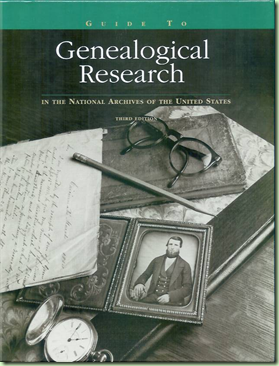
Find and consult a copy of Guide to Genealogical Research before visitng NARA NARA has many publications that can help make your research at the archives more productive. Some are available online and some are printed. Of the printed publications, some cost money and some are free.

The best publication to consult before making your trip is the 410 page

The softcover edition is $25, although I wouldn't buy it unless you plan on making extensive use of NARA records. However, since many NARA records are now available online via NARA's commercial partnerships, it no longer requires a trip to D.C. to be a regular user of NARA's records. Still, I recommend checking local libraries and family history centers for this book before purchasing it. If your local library and family history center don't have it, recommend they acquire the hardback edition ($39).

If I forget to include it in this Visiting NARA series, remind me to review the contents of this book and give examples of using it.

I picked up hard copies of these free publications when I got to Archives I:

These two publications are especially important in understanding what to expect at the National Archives. I'm covering some of this information in my articles.

Legend of symbols used in list of NARA publications Here are three lists that contain publications not all listed above that you might find helpful:

To order free publications, contact:

National Archives and Records Administration
Archives I Research Support Branch (NWCC1)
700 Pennsylvania Avenue, NW
Washington, DC 20408-0001

Telephone: (toll-free) 866-325-7208 or 202-357-5332

If you don't get the free publications in advance, look for them when you get to the archives. As you pass between the elevators, turn to your right towards the cashier and look at the display stand against the wall on your right.

To order publications by credit card, visit http://estore.archives.gov for VISA, MasterCard, Discover or AMEX orders. To pay by check, please call 1-800-234-8861.

Thursday, October 30, 2008

Record Search 27 October 2008 Update

The collection news dated 27 October 2008 on the FamilySearch Record Search pilot website (http://pilot.familysearch.org) indicates several updates have occurred or are currently in the pipeline.

  • Texas Deaths, 1890-1976 has been posted with "improved searchability." I assume that means problems have been fixed.
  • 1850 U.S. Census, all schedules - 3 states added for a total of 33 states/territories, 92% of the population.
  • 1860 U.S. Census - Coming soon with more than 17 states.
  • 1870 U.S. Census - 4 states added, bringing the total to 35 states with 74% of the population complete.
  • 1865 Massachusetts Census - Coming soon; initially includes browse images only.
Because this is a pilot, the links above to the collections will stop working some time in the coming months.

JewishGen data available on Ancestry.com

First, sorry about the double weirdness yesterday, the two identical posts titled "JewishGen Belarus Databases..." That was an attempt to scoop Ancestry.com by announcing the JewishGen databases before Ancestry.com's press release. But the post slipped through my fingers before I put any finish on it. Oh well. I guess I partially scooped them.

The press release is now out. You can read it here: "Ancestry.com Partners with JewishGen and the American Jewish Joint Distribution Committee (JDC) to Provide Access to Millions of Jewish Family History Records for People around the World."

When Ancestry.com and JewishGen first announced their partnership back in August at the IAJGS conference in Chicago, the best reporting of the event came from Schelly Talalay Dardashti at Tracing the Tribe. If you're interested in details, read these posts. Don't pass up the comments.

Wednesday, October 29, 2008

Opinion piece: Ancestry.com / USGenWeb squabble

The well publicized squabble between Ancestry.com and U.S. GenWeb Project (USGenWeb), in my opinion, has hurt both. But perhaps the greatest damage has been suffered by USGenWeb and has been of its own doing.

USGenWeb is an unincorporated non-profit association of volunteers that maintain a set of geographically organized web sites. Separate, but linked, web sites exist for every county and state in the country. The binding philosophy among all these non-commercial web sites is, "Keeping Internet Genealogy Free." Many had made use of RootsWeb's free genealogy web site hosting service. When Ancestry.com acquired RootsWeb, they continued the program, despite dire predictions by some that Ancestry.com would discontinue it.

The squabble arose when Ancestry.com announced that the RootsWeb.com address was being automatically replaced with RootsWeb.Ancestry.com and that mandatory headers would be automatically added to the free genealogical web sites hosted by RootsWeb. For some sites, the headers were merely a change from the mandatory top and bottom advertisements that Ancestry.com added to the sites. For USGenWeb sites, the headers were new.

While the organization's bylaws allowed "a website [to] acknowledge any entities who may host their website (i.e., provide server space at no cost)" (Article IX, Section 2.), some web site coordinators feared the worst. (See this post or this for a couple of examples.) USGenWeb sites contain genealogical data gathered through thousands of hours of volunteer work. The mere specter of Ancestry.com assimilating these contributions led some web site coordinators to move their sites off RootsWeb. Even the national site made a quick decision to move off RootsWeb, temporarily using a private server donated by a member before moving the site to IX web hosting.

"After many years at RootsWeb, we made a quick move to another option for web hosting," Mike St. Clair, USGenWeb Advisor Board Member later reported. He advised the board that, "a more organized evaluation of the options available would be useful before we decide to confirm that quick decision for the longer term."

Those sites that have moved have spent focus and time on the task, and many are still not finished. (See for examples, ILGenWeb, Town of Essex and the Kidz Project.) Changing URLs have produced broken links, upsetting easy navigation among sites, and cutting off some outside traffic.

I just experienced a case in point

The Phillips Library of the Peabody Essex Museum Visiting the Peabody Essex Museum's web site, I found the Phillips Library page on featured collections highlighted Essex County (Massachusetts) genealogy. The web site referred interested persons to "RootsWeb" for more information. Don't bother clicking the link, it points to www.rootsweb.com/~maessex, a dead URL. I know because I clicked the link.

When I found the link was dead, I assumed the link was to the RootsWeb resource page for Essex County, so I searched RootsWeb and noticed a link to www.rootsweb.ancestry.com/~macessex. That URL, differing by just the letter "c" surely was related, so I followed the link.

The address was for the USGenWeb Project's Essex City, Essex County site, so the Peabody's bad link must have been to a USGenWeb site. According to the Internet Archive, it was. The site was active from as far back as 18 August 2000, when it was part of the RootsWeb Genealogical Data Cooperation or GenConnect, until as recently as 24 December 2007, when it was part of USGenWeb.

Well, I was sitting on the Essex City web site. It should have been a simple matter to get to the county. I just clicked on the link to the county and...

...I was back to the dead URL www.rootsweb.com/~maessex. I used a search engine to locate the Essex County site at http://essexcountymagenweb.com, although http://essexcountyma.net will work as well. There, I found the address of the Massachusetts state web site had changed from www.rootsweb.com/~magenweb to http://magenweb.bettysgenealogy.org.

What a mess. And so I suppose it goes across the width and breadth of the U.S. GenWeb Project.

Pages spurned, Lessons Learned

From what I think I've learned from this experience, I would offer the following advice to the U.S. GenWeb Project:

  1. Domain names should be uniform (http://cc.ss.usgenweb.org) and centrally controlled. State and county coordinators would still arrange for their own web hosting and the national organization would set the DNS address to resolve to the current host. A site could change web hosting services and one DNS change by the national organization would heal all links to the site.
  2. Keeping data free is easier than preventing commercial exploitation. Richard Stallman, founder of the free software movement learned this the hard way when firms commercialized free software he developed. This led to the development of such copyleft copyright licenses as GPL and Creative Commons. Scientists in the Creative Commons project have abandoned attempts to prevent commercial exploitation in order to achieve their primary goal of keeping scientific data free. USGenWeb should likewise reexamine the relative importance of making data available for free versus preventing commercial exploitation of that data.
  3. Copyright provides very little protection to USGenWeb data. While the documents as a whole on USGenWeb web sites and in the archives are copyrighted, it is by no means clear if the data in those documents are protected. There are plenty of legal justifications for anyone that wanted to "harvest" that data. The U.S. Copyright Office says, "What is not protected? ... Information that is common property [such as] lists or tables taken from public documents or other common sources." (Circular #1, p. 3.) See also, "Can You Copyright Your [Genealogy] Data," and "7th Circuit Rules that Extraction of Public Domain Data from Copyright-Protected Database Is Not Copyright Infringement." Ultimately, the decision would require judicial interpretation. An unfunded volunteer cooperative would be no legal match for a determined, cash-rich corporation. If USGenWeb is intent on preventing commercial exploitation of its data, it should seek the advice of a nationally recognized Intellectual Property (IP) lawyer. Law schools may be the place to find individuals sympathetic to their cause.
  4. The transition away from RootsWeb would have been a great time to convert the USGenWeb Project to wiki format. Site coordinators that were moving their sites anyway could have moved the content into wiki pages. Other coordinators who had to update links to the sites that moved, could have moved their sites or simply changed the links to point to the appropriate wiki pages. A consistent page naming scheme would allow all coordinator to know what the wiki page URL would be. For sites that didn't move, wiki pages could be created with links out to the appropriate web site. Site copyrights would become page copyrights. Or members could entertain placing the copyrights in the national organization. Editing rights could be restricted to current coordinators, or opened up to any registered member. Templates could be used to encourage uniform layouts by desired groups of coordinators.

In fairness, I should write about Ancestry.com mistakes in their relationship with the USGenWeb project. I envision a piece outlining how they should have engaged the entire free genealogy community from the moment they bought RootsWeb. That's going to take hours to write. And they still don't have it right. And it's late. And I'm off to bed, so if you have an opinion, leave a comment.

Tuesday, October 28, 2008

JewishGen Belarus Databases Name Index - Ancestry.com

Search JewishGen Belarus Databases Name Index - Ancestry.com: "JewishGen Belarus Databases Name Index [database on-line]. Provo, UT, USA: The Generations Network, Inc., 2008. Original data: Index compiled from JewishGen Belarus SIG databases. This data is provided in partnership with JewishGen.org."

Monday, October 27, 2008

Visiting NARA: Maps and restaurant reviews

I recently made my first visit to the National Archives and Record Administration (NARA). This is one in a series of articles inspired by that visit to help you make your first visit to the National Archives. Earlier, I talked about lodging and transportation to the National Archives. This time, I'll review some resources available to help you prepare for your visit.

Maps and restaurant reviews

One thing I forgot to suggest last time was to pick up some maps along the way. Our rental car agency didn't offer much, but you'll want to get one anyway because it may contain driving directions for returning the car. You can also pick up a Metro System-MD/DC Route Map when you get to the Metro station. This is a large, good map and includes several bus systems. It includes a nice map of downtown D.C.

You'll probably stop at your lodging before you get to the Metro station, so avail yourself of the free area map offered at your hotel. Like ours, it probably shows central D.C., a metro map and a road map of the area surrounding your hotel. (If it doesn't show how to get to the Metro station, ask.) It will likely suggest area restaurants that paid to be listed. We tried and liked several of those suggested by ours in the Greenbelt/College Park area.

  • I love milkshakes and breakfast food served all day, so the Silver Diner located on Greenbelt Road got 4 of 4 stars from me. Your table jukebox doesn't require money, although a quarter slot beckons for it.
  • I like McDonalds for breakfast on the go and they were not disappointing; also 4 stars. Also on Greenbelt, plan on circling the building twice to navigate the drive through.
  • We love Outback Steakhouse so drove down to Hyattsville where it is located opposite the Prince George Plaza Metro Station (also on the Green Line). And while It took a bit of navigating to get there, we were not disappointed. We gave it 4 stars. There's also an Olive Garden in that same area that we didn't get a chance to try.
  • Chipotle Mexican Grill, back on Greenbelt Road, is my sister-in-law's favorite fast food so we tried it out. I give it 3 stars for the loud, modern music. I'm not hip enough I suppose.
  • www_the94thaerosquadron_com_CollegePark_index_html Google reviewers highly suggested another place that paid for an ad on our area map: the 94th Aero Squadron restaurant in College Park. This one also took a bit of navigating, and we almost didn't find it because it was dusk and their sign on the parkway was not lit. We took a chance driving down the little lane and parking in the dark. We shuffled around and found what we thought was the entrance. When we left we saw strings of hundreds of little, white lights hanging about the trees. Had they been on to greet us, we might have had a better experience.

    This is the kind of mood restaurant where you pay a little more for the atmosphere, the kind of place where your company holds their holiday party. The airfield part of the atmosphere was lost to us, entering in the dark as we did and sitting next to an expansive window looking out onto... not onto the College Park airport runway, but... well,... blackness. We were disappointed. Eventually they turned two outside spots on, illuminating some old farm equipment, in keeping with their World War I era French farm home motif.

    The decor was pleasant, although they made no effort to dress the servers according to their theme. The food was marginally above average, but not enough to justify the price in the absence of the proper mood. We don't drink, so I have no idea if the wines offered were worthy of their French farmhouse theme. Still, when we left and saw two large aircraft sitting inches away on the lawn, now illuminated in the soft light of the trees, the sight was awesome. 2 and 1/2 stars.
  • Also on Greenbelt Road, KFC was old and the service slow. The employees constantly bickered, mostly in another language. And the drinking water was brown; 1 star.

Friday, October 24, 2008

Ancestry.com starting Alabama projects

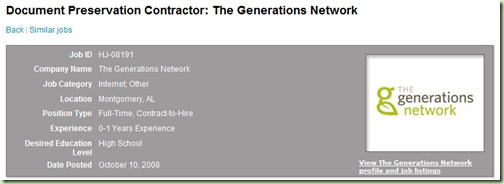
Ancestry.com parent, The Generations Network, advertising for project in Montgomery, Alabama

Ancestry.com owner, the Generations Network, is starting a preservation project in Montgomery, Alabama as evidenced by this advertisement on Yahoo!hotjobs. Contacted for comment, spokesperson Mike Ward confirmed the project.

"We’re working with the Alabama Department of Archives & History to digitize some Civil War records on-site," disclosed Ward.

Ward said that Ancestry.com is also working on the Alabama State Census, which is being indexed through Ancestry.com's volunteer indexing program, the World Archives Project. A check of the project page did not show any Alabama State Census images currently available for download, but active indexers of any database will be able to see the resulting Alabama State Census database once it is published. For more information, visit www.ancestry.com/worldarchivesproject.

Thursday, October 23, 2008

Ancestry's Ranked Search

-- Updated 9-November-2008 with my apologies --

GNW writes,

I don't like any of the searches at Ancestry.com.  It takes too much time to weed through all the results that have nothing that connects to your search.  If you put in a name, dates, family members and they lived in that same county and state all of their lives, married there, and then died there, why should they start out with people who lived 1,000 miles from that location and was born 30 years after that person died?  That is unforgiveable [sic] and simply put, STUPID.

Let me put together the reasons why this happens and tell you if something is being done about it.

Television's Dr. HouseEveryone needs a good search strategy

Ancestry's Relevance Ranked search works pretty much under the same assumptions as television's Dr. House:

  • Everybody lies
  • Everybody screws up

(Before I get into my discussion of ranked searching, let me say that if checking the Exact search box in the new search interface doesn't work as expected, you need to inform Ancestry.com. Find a current discussion on New Search on the official Ancestry.com Blog and leave a comment.)

The faulty world

Put in the context of genealogical research, Dr. House's philosophy translates to, "take nothing for granted." Take for example, a census record. On any given page of the census somewhere you can find with 95% certainty at least one of the following faults:

  • The census forms, questions or process gathered imprecise or ambiguous information.
  • The respondent gave the enumerator incorrect information or avoided him altogether. Concepts of exactness in spelling and dating have not always been as strict as today, so the spelling of names could vary wildly. Neighbors were sometimes called upon to give information for those not at home. Respondents sometimes gave information for far away relatives they feared might not be counted.
  • The enumerator wrote down incorrect information or didn't record everything and everyone that he was supposed to do. Sometimes fraudulent names and data were added.
  • Often, a second copy of each census schedule was hand copied, introducing inadvertent errors. Sometimes, these copies are all that have survived for use today.
  • While using the census records for their original purposes, names and information were overwritten, making some information illegible, some inconsistent with other information on the page and some incorrect.
  • The census records were not always properly conserved and might no longer be legible or even extant. As ink fades, the lighter strokes of cursive handwriting can change the apparent spelling of names and places. Some were microfilmed out of focus and then the originals destroyed.
  • The information on the census was incorrectly abstracted (i.e., extracted or indexed). Or one or more names or pages were skipped. Sometimes information vital to the interpretation of a census entry was written outside the normal fields or the abstraction software was not capable of capturing it.
  • The electronic search index includes errors making some records impossible to find. It might exclude some names or groups of names. Sometimes information is incorrectly indexed because of faulty standardization or handling of abbreviations, names, dates and places.
  • Sometimes you, the user, make typographical errors when typing information into search forms. And sometimes the targets of our searches show up in unexpected times and places.

A similar list can be produced for other types of records. Simply put, people screw up. A good searcher takes each of these errors into account and devices a search strategy accordingly. Have you ever used a successive term-dropping round-robin search to find a misindexed name? (Drop the first name, then the middle name, then the last name.) Have you ever used the successive term-dropping technique to find a person when you only had a vague guess about their location? But strip away the romance of performing dozens or hundreds of searches for one target record and the search strategy is pretty consistent. And pretty repeatable. And pretty mundane.

The ideal world

Wow! That's exactly what computers do better than humans. Lots and lots and lots of redundant tasks. So let's program the computer to do the ideal search strategy for us. I'm talking about the ideal world here, for a moment. Neither Ancestry.com nor anyone else has it right... yet.

Don't make me try all the nicknames, or even trust me to know or remember them all. Don't make me study out all the common name spellings. Don't make me study historical linguistics to find out how German pronunciation would affect phonetic name spellings. Let some expert somewhere do it once and let us all benefit from it. Don't make me explicitly search the census for family members to try and find my guy. The computer has my tree; do that search for me. Don't make me do successive term-dropping to account for the faults from the list above. Do it for me. Don't make me figure out every different name that a location was ever known by. Look them up and try them all for me. Hey, and while you're at it, can you account for common transliterations and other typos?

The real world

I'm happy to announce that Ancestry.com has been working on just such a feature for several years now. Some of the kinks are worked out. Some are not. It is called Relevance Ranked searching.

  • The reason you get results 30 years after the death date is because the death date you entered might be wrong or the death date on results listed might be wrong.
  • The reason you get results 1,000 miles away is because a location might be wrong.
  • The reason you get results with different names is... well you get the picture.

So it is entirely normal to get results that don't match all of your criteria. That is by design. It is entirely normal to get way too many results. They are sorted from best to worst. Look through the results until your superior brain says, "I've reached the point where the quality of the results is less than what I am willing to wade through." Then let your superior brain zero in on a particular record collection or database. Or change the search criteria. Click the exact box on selected items. Then try another search. Gradually release the autopilot and take greater control of the search. But do it after you've let the ranked search take its best crack at it.

Ancestry.com has stated that they think their current algorithm has a big problem: it ranks results by how many search terms match but doesn't penalize non-matches. Kendall Hulet discussed that here and Anne Mitchell brought it up again in this comment. Will they be able to fix this problem?

What does your brain do differently when it says, "poppycock, that's not a match!" versus "There he is! In Kansas?" If they can figure that out, then they can fix this problem.

House's boss, Dr. CuddyDear GNW

I hope that explains why you get ranked results that don't match the input criteria. As you can see, that is sometimes good and sometimes bad and as I mentioned, Ancestry.com has plans to improve this.

Give me the "name, dates, family members" that you typed into the search form. You said they "lived in that same county and state all of their lives, married there, and then died there." If I understand you correctly, you say that the very first results "start out with people who lived 1,000 miles from that location and [were] born 30 years after that person died." Send me the example and I'll make certain it gets to the right people.

Oh, and please don't read through all 24,521 results of a ranked search. When you get that many results in Google you say, "Wow! Google's awesome." But you don't try every single result.

Lastly, I'd like to remind everyone that providing Ancestry.com with detailed, actionable examples is essential to communicating your complaints. Above all, avoid unfounded emotionalism as it distracts from the real problems in New Search.

Thanks,
-- The Ancestry Insider