Wednesday, June 29, 2011

Citation Principles for Genealogy Record Publishers

The Insider's Guide to Citations

Citations have two purposes: locate the source and indicate its strength. This series of articles explains what we must do to accomplish these purposes for genealogical sources.


Yesterday I reviewed the fields displayed in the Social Security Death Index (SSDI) by Ancestry.com and FamilySearch.org. (See “SSDI: Ancestry.com vs. FamilySearch.org.”) Next week I would like to review their citations for this collection. Before I can do that, I have to present the criteria against which I will judge their citations.

To that end, here are my citation principles for record publishers.

  • Like professional genealogists, professional publishers of genealogical records must provide professional quality citations. Mills style is the standard used by most all of the professional community.
  • Publishers must provide citations for their record collections and for the individual records within their collections.
    • I’d better explain what I mean by “record collection” and “individual record.” According to Webster, a record is “something that recalls or relates past events; an official document that records the acts of a public body or officer; an authentic official copy of a document deposited with a legally designated officer.”1 For genealogy record publishing, I include a published derivative of a record.
    • A record collection is a titled group of records. The “Social Security Death Index” is a record collection. Ancestry.com uses the term database, which is the name of the technology used to implement a record collection.
    • Here are examples of user interface or record-level citations from various websites:
       Wikipedia cite this page tool Cite popup Cite article popup Cite this page, hover help Citation text insertion
  • Citations to published collections differ from citations to the sources of the collections. The two should not be equated or mislabeled.
  • Citations to published collections should include source-of-the-source citations to the sources of the collections.
  • Citations to records must contain the information necessary for users to locate the published records, notwithstanding website changes. 
  • Citations to records must also enable location of archive originals. If records from multiple archives are published as a collection, each record citation must specify the source archive.
  • Source list (bibliography) citations differ from reference note citations. Publishers may wish to label citations appropriately.

Next time I’ll review the citations provided by Ancestry.com and FamilySearch with their SSDI collections.


Sources

     1.  Merriam-Webster Online Dictionary, online edition (www.m-w.com : accessed 23 November 2009), “record.”

Tuesday, June 28, 2011

SSDI: Ancestry.com vs. FamilySearch.org

I mentioned last time some of the shortcomings of the Social Security Index (SSDI). See How Reliable is the SSDI?

Consider the “Verified or Proven” code supplied by the Social Security Administration in the public Death Master File. The code indicates that a record in the SSDI has been verified or a death certificate has proven the death information. Neither Ancestry.com nor FamilySearch.org display this

Example SSDI record from Ancestry.com


 Example SSDI record from FamilySearch.org
Example SSDI record from FamilySearch.org

This table compares the fields from the Social Security Administration’s Death Master File1 displayed by Ancestry.com and FamilySearch.org.

Field Ancestry.com FamilySearch.org
1. Change status: Record has been added, changed, or deleted Not applicable Not applicable
2. Social Security Number Displayed
and used to derive the “State [and] (Year) SSN issued”
Displayed
and used to derive the “place of issuance”
3. Last Name Concatenated fields 3-6 Listed separately
4. Name Suffix Concatenated fields 3-6 Listed separately
5. First Name Concatenated fields 3-6 Listed separately
6. Middle Name Concatenated fields 3-6 Listed separately
7. Verify or Proof code Not displayed Not displayed
8. Date of Death (in MMDDYYYY format) Ancestry.com reformatted the date to genealogical standard, with month abbreviated. FamilySearch reformatted the date to genealogical standard, month not abbreviated.
9. Date of Birth (in MMDDYYYY format) Same as death date Same as death date
and used to calculate
“estimated age at death”
10. State/Country of Residence (for deaths reported before 2/88) I was not able to tell if either vendor uses this information I was not able to tell if either vendor uses this information
11. Zip code, Last Residence Displayed
and used to calculate city, state, country
Displayed
and used to calculate city, state
12. Zip code, Lump Sum Payment Displayed as “Last Benefit”
and used to calculate city, state, country
Not displayed
13. Citation. The source of each record is not specified in the DMF, so websites can not give record level source-of-the source citations. Displayed record-level and collection level citations Not displayed

Commentary

2. It is nice that Ancestry.com displayed information for both when and where the number was issued. This may help place the person at a particular time and place. Remember that issuance date and state is derived and is subject to error. And remember that the state is not necessarily where the recipient resided.

FamilySearch displayed the field names in all lowercase. There are two established standards (title style and sentence style) for capitalizing titles in the English language and FamilySearch deviates from both. Is there a good reason for that? I would have thought that mixed case would be easier to comprehend. (See my “Indexing Errors: Test, Check the Boxes.”)

3 through 6. There are instances where websites should not manipulate information before display; they always seem to screw up one or more records. I think name concatenation is pretty safe; I like it because I can comprehend the names on Ancestry.com much easier than FamilySearch’s non-concatenated names.

7. Failure to display the Verify or Proof Code is a major flaw in both websites. Even though more than 90% of the deaths are not verified, for times that there is verification or proof of death, that is important to know. If you want to see this field, you can use RootsWeb.com.

8. Ancestry.com abbreviated month names. I know Mills citation style recommends spellings them out in citations. Does BCG have a recommend? In columnar lists of results, Ancestry.com utilizes the screen real estate better than FamilySearch, in part by using abbreviations. (See below.)

image image
I prefer Ancestry.com’s columnar lists over FamilySearch’s.
FamilySearch wastes a lot of space.

9. When a birth date is present, FamilySearch estimates the age at death. That’s a great practice. I predict you’ll see Ancestry.com add this same feature once today’s article alerts them of the possibility.

11. Both Ancestry.com and FamilySearch use the field title supplied in the DMF, but I question the title of this field. According to other sources this field is the last address on record. I’m guessing that it is actually the last mailing address associated with the account. I get an annual statement from the SSA; don’t you? I’m guessing it is often not the last residence. It could be a post office box, or the address of a relative or legal guardian.

12. Would someone tell me what a “lump sum payment” is? I’m guessing that monthly SSI or retirement benefits are not lump sum benefits. If that is the case, then Ancestry.com has mislabeled this field.

For both 11 and 12, keep in mind that the only information supplied in the DMF is the zip code. The zip codes in the DMF are not changed as zip code assignments change over time, so these websites might be showing incorrect information. Take the example of Donald N. Sider, shown in the list results above. (I wonder if we’re related!? My side of the family changed our name from “N’Sider” to “Insider” when we immigrated to Fantasyland from Frontierland.)

Donald N. Sider’s last residence was zip code 33413. According to the U.S. Postal Service, 33413 currently applies to both West Palm Beach and Greenacres, Florida. Ancestry.com displayed one of the two, West Palm Beach. FamilySearch did not display either city, but did display the county.

13. I’ll review the citations later in a separate article. Stay tuned…


Sources

     1.  National Technical Information Service, “Death Master File Record Format,” NTIS [Death Master File website] (https://dmf.ntis.gov : accessed 15 June 2011), select “Record Layout.”

Friday, June 24, 2011

Both Male and Female?

Records Say the Darnedest ThingsRecords say the darnedest things

We depend upon records to reveal the “truth” about our pasts.

Yet sometimes records have anomalies.
Some are amusing or humorous.
Some are interesting or weird.
Some are peculiar or suspicious.
Some are infuriating, even downright laughable.

Yes, Records Say the Darnedest Things.”

Both Male and Female?

There are only two genders, right? Well… Maybe…

I came across this record recently while indexing Maine vital records:

Gender both male and female

As it turned out, the card documented the stillbirth of twins.

Stillborn twins

I was grateful that Indexer A knew what she was doing. She had added a second record to the image. One record documented the boy, a second documented the girl.

Yes, “Records Say the Darnedest Things.”

Tuesday, June 21, 2011

How Reliable is the SSDI?

How good is the information from the Social Security Death Index (SSDI)? It may not be as good as you think.

“The full DMF [Death Master File] includes both the verified and unverified reports of death for Social Security beneficiaries and non-beneficiaries,” said Bill Gray, an official of the Social Security Administration (SSA). The DMF is the government’s name for the Social Security Death Index. “We receive approximately 2.5 million death reports each year from many sources. We receive 90 percent of the reports from family members and funeral homes, with the remainder coming from States and other Federal agencies through data exchanges and reports from postal authorities and financial institutions.”1

According to Gray, over 90% of the information is unverified. Because studies showed that the Information obtained from family members and funeral homes is 99% accurate, SSA does not verify it. Information obtained about individuals who were not receiving Social Security benefits is also not verified, as the agency does not have the necessary contact information. Otherwise, deaths are verified through family members, payees, or medical institutions.

Gray said that states are allowed to prohibit redisclosure of death information they provide. The SSA removes such unverified state information to create the public version of the DMF. Genealogy websites rename and publish the DMF as the Social Security Death Index. Many supplement the DMF with additional information. Some websites add the state of issue, deriving it from the numbers in the SSN. Some provide city and state for zip codes. Users are advised to consider the city name with care, as the DMF is not updated as zip code boundaries change. Further, zip codes may cover multiple cities and genealogy websites may not display the correct one.

Gray considers the data to be 99.5% accurate. But as you evaluate the strength of the information, keep the following in mind.

  • The SSDI does not list the source of each entry nor does it indicate how the information was verified.
  • Most websites do not show the “Verify or Proof Code” from the DMF. This code indicates entries that have been verified and entries that have been proven by death certificate.
  • If the verified code is not displayed and the person died before retirement age, chances are he or she were not receiving benefits, and thus the information was not verified.

The SSDI does not contain information on every death. While coverage has increased dramatically since the early 1960s, coverage for the young remains low because they die before receiving benefits.2

SSDI coverage varies by age 
Estimated percentage of deaths included in the SSDI, by age, 1960-1997
Image credit: Hill and Rosenwaike

Next week: The SSDI on Ancestry.com and FamilySearch.org. 


Sources

     1.  Bill Gray, “Testimony before the Permanent Subcommittee on Investigations of the Senate Committee on Homeland Security,” 9 July 2008, Social Security Online (http://www.socialsecurity.gov : accessed 14 June 2011), legislation and congressional affairs.

     2.  Mark E. Hill and Ira Rosenwaike, “The Social Security Administration’s Death Master File: The Completeness of Death Reporting at Older Ages,” Social Security Bulletin 64, no. 1 (2001/2002): 48; PDF online (http://www.socialsecurity.gov/policy/docs/ssb/v64n1/v64n1p45.pdf : accessed 14 June 2011), “Research Statistics, and Policy Analysis” > “Research and Analysis.”

     3.  “Social Security Testimony Before Congress : Ways and Means Social Security Subcommittee,” 8 November 2001, Social Security Online (http://www.ssa.gov : accessed 14 June 2011), legislation and congressional affairs.

Friday, June 17, 2011

Darned Quarrels

Records Say the Darnedest Things

We depend upon records to reveal the “truth” about our pasts.

Yet sometimes records have anomalies.
Some are amusing or humorous.
Some are interesting or weird.
Some are peculiar or suspicious.
Some are infuriating, even downright laughable.

Yes, Records Say the Darnedest Things.”

Darned Quarrels

As we try to understand older records, it is important to remember that the meanings of words shift over time. If your ancestor’s occupation was “quarrel-picker,” you might mistakenly conclude that he was a fighter. Obviously, a “quarrel-picker” is someone who picks quarrels.1

To pick a quarrel

But “quarrel” is a homonym. It can also refer to a quadrilateral shaped object. At one point in history a a square or diamond shaped piece of glass was called a quarrel. Your quarrel picking ancestor was nothing but a harmless glazier.2

Well, I suppose your ancestor was harmless… unless he was a shard wielding, quarrel-picking quarrel picker…

Yes, records say the darnedest things.


Sources

     1.  Abel Boyer, The Royal Dictionary Abridged in Two Parts (London: 1728), s.v. “pick;” images online, Google Books (http://books.google.com : accessed 6 June 2011), id=4ChFAAAAcAAJ.

     2.  “Diogenes Robb’d of His Tub: or, the World Despis’d,” State Tracts: Containing Many Observations and Reflections, ed. Joseph Browne and William Oldisworth (London: 1715), 90; images online, Google Books (http://books.google.com : accessed 6 June 2011), id=BkFWAAAAYAAJ. This tract was perhaps from the periodical Growler, or Diogenes Robbed of his Tub, published 1 February 1710/11, perhaps by Abel Boyer.

     Jeffrey Kacirk’s Forgotten English daily calendar provided this example.

Wednesday, June 15, 2011

Emphasize the Source You Used Over the Source of the Source

 Two derivatives of the 1790 Census, Brookfield, Connecticut
Above are two types of derivatives from
the same page of the 1790 U.S. Census.

Citations have two purposes: locate the source and indicate its strength. This series of articles explains what we must do to accomplish these purposes for genealogical sources.

Last time (see “Citing Quoted Sources.”) we learned how Chicago handles citations to information that is copied (“quoted”) from another source.

Mills swaps the order of the two citations, and replaces “quoted in” with “citing” (or another term that makes sense). This gives emphasis to the source seen by the researcher. I like that; it makes more sense to me.

     3. Milton Rubincam, Pitfalls in Genealogical Research (Salt Lake City: Ancestry, 1987), 11; citing Donald Lines Jacobus, “Tradition and Family History,” The American Genealogist, 9:1 (July 1932).

The first row in this table shows Chicago. The remaining rows show examples from Mills.

First citation   Second citation Examples in Mills’s Evidence Explained
Citation to the source of the source quoted in Citation to the source used by the researcher Chicago
Citation to the source used by the researcher citing Citation to the source of the source pp. 166, 348, 404, 427, 577, 630, 786
Citation to the source used by the researcher from Citation to the source of the source pp. 166, 577
Citation to the source used by the researcher crediting Citation to the source of the source pp. 94, 128


The examples on pages 94 and 166 are interesting because the citation to the source of the source is given inside quotation marks, showing it was copied exactly as it appeared in the source. (Also see page 446 for a different way to cite the source of the source.)

In closing, it bears repeating that when the source you use quotes another source, you need to get that source and use it if at all possible. “Never drink downstream from the cows.”1 And never, ever cite a source that you did not see.2


Sources

     1.  Ancestry Insider, “Never Drink Downstream from the Cows,” The Ancestry Insider (http://ancestryinsider.blogspot.com : 25 February 2011, accessed 9 June 2011).

     2.  Elizabeth Shown Mills, Evidence Explained: Citing History Sources from Artifacts to Cyberspace, PDF images (Baltimore: Genealogical Publishing Company, 2007), 52.

Tuesday, June 14, 2011

101 Best Websites

Ancestry Insider is one of the 101 Best Websites 2011Family Tree Magazine has announced their list of the “101 Best Websites for 2011” and has chosen again to honor the Ancestry Insider. With the growing number of awesome genealogy websites, it is a growing honor. I’m humbled. With the growing demands of my day job, it is a growing challenge to find the time. I have a growing worry that I’ll fail to provide enough value to make it worth your time to follow my ramblings.
I suppose that is one reason why I’ve migrated from Family Tree Magazine’s news category into their “Tech Tools” category. I can no longer spend the time necessary for a good news blog. But technology is my forte.

“With all the updates at FamilySearch, it’s more of a must-read than ever,” wrote David A. Fryxell of the Ancestry Insider.

Some of the other winners in the tech category are Google book and newspaper archives, Internet Archive, and genealogy search engines: Mocavo, Live Roots, and Steve Morse’s One-Step. Some of the other categories include Family History Mega-Marts (websites with the largest record collections) and State-of-the-Art Archives (state archives).

See “101 Best Websites for 2011” to see all this year’s winners with Fryxell’s commentary.

Ancestry Insider is one of the 101 Best Web Sites 2008Ancestry Insider is one of the 101 Best Web Sites 2009Ancestry Insider is one of the 101 Best Websites 2010

Friday, June 10, 2011

Soil? Inconceivable!

Records say the darnedest things

We depend upon records to reveal the “truth” about our pasts.

Yet sometimes records have anomalies.
Some are amusing or humorous.
Some are interesting or weird.
Some are peculiar or suspicious.
Some are infuriating, even downright laughable.

Yes, Records Say the Darnedest Things.”

Records Say the Darnedest Things: Soil? Inconceivable!

Sometimes words don’t mean what you think they mean. Keep that in mind when reading old records. I find it especially interesting when words turn a full 180.

Consider “soil.” According to Webster it means to stain, defile, blacken, or taint.1 But when it comes to milk, it means the opposite.2

Soil can mean to defile or to clean
“To Soil milk, to cleanse it”

Here’s a weird one. Cover your eyes if you blush easy. Don’t misunderstand pre-reformation wedding vows. When the wife pledged to be “buxom in bed and at board” she was only promising obedience.3

Don't misunderstand old wedding vows

Yes, records say the darnedest things.


Sources

     1.  Merriam-Webster Online Dictionary (http://www.m-w.com : accessed 4 June 2011), s.v. “soil.”

     2. John Ray, A Collection of English Words (London: H. Bruges, 1674), 44; images online, Google Books (http://books.google.com : accessed 4 June 2011), id=njdWAAAAYAAJ.

     3.  Samuel Johnson, A Dictionary of the English Language in Which the Words are Deduced from Their Originals, 9th ed., vol. 1 (London: 1805), s.v. “buxom;” images online, Google Books (http://books.google.com : accessed 4 June 2011), id=RaQRAAAAIAAJ.

     I acknowledge Jeffrey Kacirk’s Forgotten English daily calendar for these examples.

Wednesday, June 8, 2011

Citing Quoted Sources

The Insider's Guide to Citations

Citations have two purposes: locate the source and indicate its strength. This series of articles explains what we must do to accomplish these purposes for genealogical sources.


Citing Quoted Sources

Remember the big no-no in writing school papers? You’re reading a book and it quotes another. You like the quote and use it in your paper. You’re supposed to go find the original and cite it. If you can’t, you must cite the first book and its citation of the original. The Chicago Manual of Style says such a citation should look like this:1

     2.  Donald Lines Jacobus, “Tradition and Family History,” The American Genealogist, 9:1 (July 1932); quoted in Milton Rubincam, Pitfalls in Genealogical Research (Salt Lake City: Ancestry, 1987), 11.

Do you see how this is two citations in one? Remember the form; we will use it for derivative sources.

Citation of the source of the source ; quoted in Citation of the source seen by the researcher


I use a semicolon to separate the two, since that is the English language standard for separating list items that contain internal commas.2


Sources

     1.  The Chicago Manual of Style 15th ed. (Chicago: The University of Chicago Press, 2003; CD-ROM version 1.2.3), 727.

     2.  Elizabeth Shown Mills, Evidence Explained: Citing History Sources from Artifacts to Cyberspace, PDF images (Baltimore: Genealogical Publishing Company, 2007), 88.

Tuesday, June 7, 2011

Stop and Wait Before You Update

Once again there were more problems with FamilySearch Indexing over the weekend. Once again the indexing servers seemed to have crashed. Once again users saw this warning:

image

If you get this message when submitting a batch, do not update your FamilySearch Indexing software without first learning if the indexing server is up or down. Wait a couple of minutes and try again to submit the batch. If you still cannot submit, exit the indexing software and restart it. If the indexing server is down, the indexing software will not restart. Instead, you will see this:

image

This is your signal to not update. Instead, wait minutes, hours, overnight even, and then try again.

FamilySearch issued a statement during the outage Sunday advising indexers that Sunday afternoon outages may continue for a time. Indexers were encouraged to download extra batches beforehand.

Here is the complete text of the statement.

We understand that our indexing system still struggles a bit at our busiest times of the week—usually Sunday evening or Monday morning depending on your time zone. If you are concerned about running into problems during this time, we have some steps you may want to follow. You do not need to do this, but it may help avoid possible issues.
  1. Before 1:00 p.m. on Sunday (MDT, UTC-6), download up to 10 batches.
  2. Open each batch to make sure the information is saved to your computer.
  3. On the indexing start page (or the My Work page), click the Work Offline box.
  4. Click OK. Note: You do not need to disconnect your computer from the Internet; you are simply telling the program not to connect to the indexing server while you index these batches.
  5. Do not close your indexing program. Keep your computer on and your indexing program open until you have completed and submitted all 10 batches.
  6. Work on your batches. You will not be able to submit or save your batches while in "offline" mode.
  7. When you have completed all of your batches, return to the indexing start page, and click the Work Offline box to remove the checkmark and return to "online" mode.
  8. Click OK on the dialog box. Note: You should already be connected to the Internet.
  9. Highlight each batch, and click Submit Batch.
  10. Download more batches if you like, and start over at step 2.

If, while submitting your batches, you receive a message to update your program, this is an error. You do not need to update. Simply click OK. Let the program close. Wait a few minutes, and open the program again using the desktop icon. Once the program is open, try submitting your batch again.

Thank you for your patience during these busy times. We hope to get the system to a point soon where the program can handle these busy times smoothly.

Friday, June 3, 2011

Search Ancestry.com with Search Plugin

One reason you're not hearing much from me is the crash of my computer. Fortunately, I've followed the advice of people like Dick Eastman and have what I hope is a complete backup of my documents. But buying a new computer and getting all my programs reinstalled is taking a lot of time, time that is already overly busy for various reasons.

As I tried to figure out a new version of Firefox, I was reminded that it is possible to add additional search engines to the Search Box, located near the upper right corner of the browser. I wondered how easy it would be to create an Ancestry.com Search Plugin.

It was easy. The problem is, it is nearly worthless. I've mentioned before that I think a Google-type search--a single text box--would not work well for genealogy records. This experiment has done nothing to change that opinion.

It is an interesting toy to play with. To install the plugin, go to this page and click on Ancestry.com. Type in names and dates and places. Try someone famous, like "john fitzgerald kennedy." I'm certain that if Ancestry.com put their minds to it, they might vastly improve how well a single-text field search works. But I think tens of man years would never make it so usable that you would choose a single text field over separate name, date, and place fields.

I created this Firefox search plugin at http://mycroft.mozdev.org/submitos.html

This has been a nice diversion, but it is time to get back to setting up my new computer. Stay tuned...

Friday, May 27, 2011

The Gretna Green for Death? Why Y

Records say the darnedest things

We depend upon records to reveal the “truth” about our pasts.

Yet sometimes records have anomalies.
Some are amusing or humorous.
Some are interesting or weird.
Some are peculiar or suspicious.
Some are infuriating, even downright laughable.

Yes, “Records Say the Darnedest Things.”

Records Say the Darnedest Things

A place where people often go to get married is called a “Gretna Green.” A Gretna Green has far more marriages than is normal. Did you know there is a “Gretna Green,” a sort of elephant graveyard, for death?

This table shows the number of deaths found in Ancestry.com Public Member Trees for four places. The table compares numbers of deaths with current populations.

  Deaths Population
Y 6 million 86
London 4 million 8 million
Los Angeles 3 million 4 million
Paris 1 million 2 million


What is this mysterious Y where so many people go to die?

Of course, every good genealogist knows that place names need to be complete so they aren’t ambiguous. Gratefully, some very helpful genealogy programs will expand the names for you, “fixing” the problem. Consider this descendent of a Norse god.

Before After
Born: Europe
Died: Y
Born: Europe, Fayette, Georgia, United States
Died: Y, Somme, Picardie, France


Deaths in Y are not limited to the descendents of Norse gods. Consider an early resident of Asia.

Before After
Born: Asia
Died: Y
Born: Āsīā, Ghowr, Afghanistan
Died: Y, Somme, Picardie, France


Abraham Lincoln’s son, William, died in Y, as have people from across the globe.

Fortunately, genealogists are the questioning type. Confronted with inexplicable deaths in Y, they start questioning why:

  • “I have found that a number of my ancestors died in this small French village and I'm trying to find out more information about it aside from what's in Wikipedia. Why did so many end up there? The span goes from the 1100s-1800s and there are many surnames.”
  • “Very strange to find we're all having this issue. Mine's not even telling me a date when they died, just that it was there.”
  • “I've found that around 20 of my ancestors ranging from 1100 to about 1850 died in Y, Somme, Picardie. I know that it was held as a fief by the English, from around the mid 1200s to the mid 1300s, which may explain why so many English went there.”
  • “Mine, Too! All my McGhee women in the early to mid-1800's moved from Pittsylvnia/Bedford area, VA. to this town in france. WHY???”
  • “Now that [I] read all these notes from others, I am beginning to wonder if, perhaps, it was a "spa" or infirmary of some sort, where people went, who were seriously ill. It seems that everyone who went there, died there!?? Was their something going around in the mid-1800's in Virginia? My relatives were all women, English, born in VA. 1790-1830”
  • “I also have a relative [that] someone on a family tree has listed as dying in Y, Somme, Picardie, France. I have not yet proved this to be true by finding a death certificate. Does anyone know how to find death certificates or registers for this area. Will they be written in French?”
  • “And I thought it was just me who was crazy. Perhaps there was a foreign office to which members of my family were assigned during the 1700's, as they reappeared in NY a couple generations later. Or maybe it was just a great place to escape then, as it is now.”
  • “I think it was a sanitarium for consumption patients. That is what they called Tuberculosis, back then. That is consistant with Lincoln's son's diagnosis, as well.”
  • “I have come across a few different sources that show this as the location of vast military cemeteries going back ages - I don't know if this accounts for all of the hits we're getting, but certainly applies to some/most ...”

(You’ll be happy to know that this discussion gradually wound around to the real problem.)

Yes, records say the darnedest things…


Thank you, Desta Elliott, for suggesting this topic.

Thursday, May 26, 2011

Jay Verkler, FamilySearch, and the Community

Jay Verkler addresses 2010 NGS Conference
© 2010 IR1. All rights reserved.

I had a chance to grab a minute with Jay Verkler at the close of the 2011 National Genealogical Society (NGS) annual conference. Verkler is president and CEO of FamilySearch.

“We’re very excited to see how the genealogical category is moving forward,” he said. “To FamilySearch, the growth of the category has always been very important, which is why we support societies, archives, and other commercial companies. We don’t think about them as competitors; we think about them as partners trying to build the community.”

Verkler said this year is turning out to be a great one. He saw a lot of positive indicators at NGS,  spoke with representatives from several societies, including NEHGS, and was pleased to hear many are on growth paths.

Verkler is glad that Ancestry.com is doing well. “Ancestry’s growth has just been fantastic. It’s been exciting.” Their success as a public company attracts more investors to the category who then put money into other genealogy companies. Verkler said we’re going to see other companies in the space, like BrightSolid in Europe, MyHeritage with its worldwide penetration, Archives.com, and “some other companies that you can’t see yet that are coming your way soon, that are all gaining financial funding.”

“For us, it’s exciting to see that,” said Verkler. “All of these things make 2011 and 2012 look like great growth years.”

Wednesday, May 25, 2011

Citation Principles: What is a Derivative?

 Two derivatives of the 1790 Census, Brookfield, Connecticut
Above are two types of derivatives from
the same page of the 1790 U.S. Census.

Citations have two purposes: locate the source and indicate its strength. This series of articles explains what we must do to accomplish these purposes for genealogical sources.


To properly characterize the strength of a derivative source, specify the type of the derivative and the source from which it was derived.

What is a Derivative Source?

The term derivative source, simply put, is a copy of a source.

The BCG Genealogical Standards Manual defines a derivative source as one that is

repeated, reproduced, transcribed, abstracted, or summarized from something already spoken or written. … John Doe’s will found in the county record book is a first-generation derivative copied from his original testator-signed document; a photocopy of the record-book will is a second-generation derivative, … a published abstract [is a] third-generation-derivative, [and a research note taken from the published abstract is a fourth-generation-derivative].1

Photographic Derivatives

The strength of a derivative depends on the type of the derivative. Look at the illustration above from the 1790 U.S. Census. On the right hand side is a digitized copy of the original. On the left is a typeset copy. The interpretation introduced during typesetting makes it a weaker source than the image copy.

Photographic derivatives—those created using cameras, scanners, and photocopy machines—can be virtually as strong as the original source. Elizabeth Shown Mills calls these image copies.2

Textual Derivatives

Indexes, abstracts, extracts, transcriptions, translations, and the like are textual derivatives. Textual derivatives can be far less reliable than originals, as we see from the plethora of indexing errors found on genealogy websites. Also, textual derivatives are usually less complete than originals because it is expensive and time-consuming to transcribe all the information in a record.3


Different types of photographic and textual derivatives have different evidentiary values, so it is important to specify derivative types in the citations of derivative sources.


Sources

     a. Board for Certification of Genealogists, The BCG Genealogical Standards Manual, ed. Helen F. M. Leary (Provo, Utah: Ancestry, 2000), 9.

     2.  Elizabeth Shown Mills, Evidence Explained: Citing History Sources from Artifacts to Cyberspace (Baltimore: Genealogical Publishing Company, 2007), 30.

     3.  Mills, Evidence Explained, 28-31.


Table of Contents

The table of contents for this series as it currently stands:

Tuesday, May 24, 2011

Ancestry.com launches Web Search

Eric Shoup at Ancestry.com Reception
Eric Shoup of Ancestry.com

Eric Shoup of Ancestry.com announced the release of Ancestry Web Search at a reception Thursday night of the 2011 NGS Conference. Once burnt by their Internet Biographical Collection, Ancestry.com is not shy about explaining how this time things have changed.

The Internet Biographical Collection

The Internet Biographical Collection (IBC) was a collection Ancestry.com released on 26 August 2007. It consisted of copies of web pages containing genealogically relevant information. The copies were made without warning to or permission from page owners. See Becky Wiseman’s “Is this Fair Use?” and another example from USGenNet for examples showing how the IBC worked.

Hundreds of people blasted Ancestry.com. Dozens of bloggers flogged them. Page owners objected. And Ancestry.com capitulated. Just three days after launch, Ancestry.com pulled the plug on the collection.

My favorite flogging was done visually:

 
Susan K. Kitches, image composer, “Ancestry.com Scrapes Websites,” Family Oral History Using Digital Tools (http://familyoralhistory.us : dated 28 August 2007, accessed 21 May 2011).


Web Search versus IBC

Ancestry.com says they have addressed the complaints made about the original version of the IBC. Here’s my comparison:

Internet Biographical Collection Web Search
Made copies of owners’ web pages without their knowledge or approval. Sites can be added or removed by owner request. I think I asked and Ancestry.com said that they had the permission of the three sites that they have currently indexed.
Required subscriptions. (On the 28th, Ancestry.com opened the collection to registered users.) Anyone can use it.
Result lists contained links to Ancestry.com’s copies of the pages, not the owners’. This deprived owners of several benefits, including advertisement revenues. No improvement. Still no links to owners’ pages.
Result pages contained information abstracted from the owners’ pages. Same. Ancestry.com’s stated intent is to limit the information shown so users are incented to click through to the owners’ pages.
Result pages contained links to Ancestry.com’s copies of the pages, not the owners’. (On the 28th, Ancestry.com supplemented the links to their copies with links to the owners’ originals.) Result pages contain links to the owners’ websites.
Ancestry.com made nearly complete copies of owners’ web pages, including text and graphic design. Many felt this was a clear violation of the law. I felt that they had, indeed, crossed the line, but that they were playing in a gray area and had not wantonly violated the law. Does not copy others’ pages. I believe this is the key difference between the IBC and web Search.
Citations did not specify the original sources. Thus, citations did not give credit to the owners. Citations do not specify the derivative sources.
Thus, citations do not disclose Ancestry.com’s involvement. They need to read my series on citation principles so they understand why a citation needs to specify both the derivative and the original.
Links went directly to the pages with the indexed information. Links do not go directly. Links go to the search page and users must retype the search parameters. This might be owners’ preferred behavior, but as a user I’d like the links to take me directly to the results.
Indexed the same content as search engines like Google. According to Ancestry.com’s Brian Edwards, Web Search indexes deep web content, stuff you can’t find doing a Google search.


Ancestry.com seems to have followed the advice of fellow blogger, Randy Seaver.

I wish that Ancestry would carefully consider the reaction to adding a database like this before they do it.

I spoke with Web Search product manager, Brian Edwards. He said, “We’ve spoken with many members within the genealogical community to try to make sure we approach this in the right way.” He said Ancestry.com believes it’s important to respect the wishes of the owners of the content indexed by this new product.

Really? No Caching?

Caching others’ web pages (copying, really) was at the heart of the IBC controversy. If you know where to look, Google.com has links to cached copies of indexed pages. As I wrote this on Saturday, I experienced the downside of Ancestry.com not caching pages. IndyGov.org, the website indexed by “Web: Marion County, Indiana Marriages since 1925,” was down. Ancestry.com's misuse of caching in the IBC may have poisoned the possibility of using it now.

Google caches copies of inde
Google caches indexed pages

I think web page owners will be more amenable to Web Search than to the Internet Biographical Collection. And I think Ancestry.com haters and conspiralists will like it in their own way; it gives them more fodder. But I’m not so certain about the rest of you. What do you think?


Private message to Brian Edwards: In our interview I mentioned I wondered if Google.com might be doing deep web searches on some websites. While researching this article, I came across an example of why I think this might be so. I did a Google search for ["internet biographical collection" (source OR citation)]. I clicked on one of the results, Kimberly Powell’s “Cache 22” article. The page came up with my search terms already in the About.com search box. Interesting, huh?

Does Google performs deep web searches?

Monday, May 23, 2011

FamilySearch Indexing Outage Continues

Some time around noon on Sunday, FamilySearch Indexing stopped working. As of 1:00 pm Mountain Time, the outage has not been fixed.

A message at https://indexing.familysearch.org states:

Indexing is down for maintenance

I contacted FamilySearch for comment and was told that a public statement will be made shortly. They do not yet know how long it will take to fix the issue. They are characterizing this as a “major outage.”

While the website states that Indexing is down for maintenance, it is unlikely that FamilySearch intentionally brought the site down on a Sunday. Judging from the number of single day indexing records, Sunday is their biggest day.

Indexers receive much less helpful notices. One common notice is this one, which you see when you try to run the Indexing program:

Launcer failed notice from FamilySearch Indexing program.

If you got it running, there was no notice in the message area of the Indexing program:

image

The only notice many indexers will see is a lack of projects in the batch download window.

With FamilySearch Indexing down, no projects show up in the batch download window

I received a notice that was unhelpful. The notice said I must update my Indexing program before I could download a batch. I dutifully uninstalled FamilySearch Indexing. When I tried to re-install, I found the web notice that Indexing was down for maintenance. Growl. Now I’ll have to needlessly reinstall when Indexing comes back up.

FamilySearch advises users not to try to re-install. They admit is won’t fix anything and can slow the system down.

I wonder how many older indexers FamilySearch loses because of its failure to provide better messaging.

Facebook

One place to check for messages is FamilySearch Indexing on Facebook. Go to www.facebook.com/familysearchindexing and click on Wall. (Wall is on the left side of the window, underneath the image.) A little after 5 yesterday, FamilySearch posted this message:

Most of you have already noticed, the indexing system has been struggling today. The engineers just shut everything down and will bring it back up shortly. If you receive an error message or a notice to update your program, please ignore it, wait a few minutes, and try again. Thank you for your patience!

At 6:06 pm:

The system is still down. Latest word from the engineers: They have many individuals involved, trying to get the system running again.

We hope they can get it running soon.

At 9:14 am, message from Brandon Bauman:

No ETA yet. We're doing our best. Thanks for your continued patience.

Forums

It’s nice that Facebook users were informed, but I wonder how many of FamilySearch’s indexers are on Facebook. You would think that FamilySearch’s own support forum would be the place to go for messages about the outage. Apparently not.

Go to forums.familysearch.org and click on FamilySearch Indexing. I didn’t find any messages from FamilySearch about the outage, but there were messages from volunteers, commiserating or dumping.

User “oxxguy” wrote,

Wouldn't it be nice if there were an indexing system health page maintained on a separate server (on facebook, say, or on an LDS server) so that we could find out if the system is down instead of just guessing "is it me?"

Unregistered Guest wrote,

It seems to me that the IT department doesn't have much concern for volunteers. Maybe they're too busy to even notice that they are putting their users out. I know IT departments tend to give notice. I don't see anything so far about advanced notice about may 22, 2011 being a maintenance day.

Maybe the server just crapped out and they have to replace something and they don't have failover, which is quite annoying.…

I wish that they'd put some technologically savvy people on the phone support because, I'm a techie and I want to know exactly what's going on.

User “indaloman” wrote,

I am sick of everytime they update their software, I cannot get into the program. They could not care less about volunteers, if something goes wrong and we lose hours of work, well thats just tough!

I think I have had enough, and I will go back to FreeGEN, FreeCEN etc, at least they give their volunteers support.

Private message to FamilySearch: Please re-read my article on the Cluetrain Manifesto.

Bottom line: Talk openly to your volunteers. Over-communicate. Or watch the train leave the station without you.

Monday Mailbox: A Nice Ride in the Mountains

Several readers responded positively to Tim Cross’s “A Nice Rice in the Mountain.”

Dear Ancestry Insider

If the person knows nothing about their family, how do you make this "nice colored chart?" I honestly would like to know. Everyone I know, if/when they have interest in family history, comes to me and asks me for help. It's not horribly hard to break it down to something that they'd understand, but adding some colors to it may help. So, how do you do this?

Thanks,
Amanda Forson*

Dear Amanda,

That’s an excellent question. Starting another’s genealogy is no different than your own. Start with them and work backwards. If they know absolute zero about their family, then there really is nothing you can do. Otherwise, start with what they know.

There are plenty of getting started guides around:

The idea is to do enough ground work, perhaps a generation or two, to give them that “nice ride” experience.

Signed,
--The Insider

What recommendations do the rest of you have for Amanda?


* Amanda Forson, e-mail to AncestryInsider@gmail.com, “The Ancestry Insider: A Nice Ride in the Mountain,” dated 22 April 2011, 1:56 AM.

Friday, May 20, 2011

What’s Next at Ancestry.com

After the FamilySearch.org reception Thursday evening, I went up to the Ancestry.com reception. Here again, I found an interesting contrast. No clear winner here, just interesting, each organization’s choices, and interesting ramifications.

  Ancestry.com FamilySearch.org
Location Cavernous meeting hall The FamilySearch booth
Audience size Sparse, hundreds Crowded, dozens
Presentations Multiple presenters, slides, demos Short introduction, short video
Executive presenter Josh Hanna I don’t think there were any.
Presentation length Long Short
Refreshments Fancy desserts Cookies
Leftovers Tons Tons
Chocolate choices 4 1


Joshua Hanna, Ancestry.com executive vice presidentContent is King

Ancestry.com continues to delivery most of the same key messages as it has in the past. Josh Hanna, executive vice president presented information about record collections and Eric Shoup about product improvements.

I appreciated Hanna’s participation. In my early days at Ancestry.com, some of us felt like Ancestry.com had not yet come to grips with what it meant to be a content publisher. We felt like we had to campaign to prevent cuts in the content acquisition budget. Marketing wanted new customers. Product management wanted to improve the old search. Executives wanted online trees. The board of directors wanted a simplified website that would appeal to non-genealogists. We campaigned for “content as king” and worked to convince decision makers that no one wanted to renew a magazine subscription to a magazine that republished the same issue month after month.

From my vantage point it looked like Tim Sullivan and Andrew Waite pivoted the focus from customer acquisition to customer retention. That required Ancestry.com to shift its focus from customer acquisition to content acquisition. Once they gave subscribers a reason to stay, they are now both retaining subscribers and acquiring subscribers. In fact, in a private meeting with online media on Friday, Eric Shoup disclosed that subscriber acquisition doubled in Q1 over previous quarters.)

Q1 new Ancestry.com subscribers nearly doubled 2010 quarterly additions

Hanna’s participation said to me that Ancestry.com still feels that content is king. He pointed out that they’ve spent over $100 million publishing genealogy records over the past 15 years. They published 200 collections in 2010. (See http://www.ancestry.com/whatsahead.) But I digress…

In addition to what they’ve already done in 2011, they plan a Memorial Day release of the entire U.S. Navy Ship Muster Rolls for 1939-1949, consisting of 27 million records. These records document ship assignments, promotions, transfers, and discharges. This is one of the most requested collections at the National Archives, Hanna said.

This fall they will be adding U.S. birth, marriage, and death records for Pennsylvania, Tennessee, Ohio, New York, Kansas, Texas, Washington, Missouri, Oregon, Illinois, and Georgia.

Next year comes the big daddy of the decade. The 1940 US Federal Census images, 3.2 million of them, will be released to the public on the NARA website on 2 April 2012. Ancestry.com will then work to produce indexes of the 132 million people.

Eric Shoup presented next. His presentation overlapped considerably with “What’s New at Ancestry.com,” presented the following day by Ann Mitchell and Jen Hodnett. I think I will write about both presentations at the same time.

Stay tuned…

Thursday, May 19, 2011

Enlist Now that the War is Over

Civil War Enlistment Reception Civil War Enlistment Reception

I attended two vendor receptions Thursday evening. Translated, that means I’m a loser and failed to sign up for the evening BBQ before tickets sold out. But I digress…

The first was at the FamilySearch booth, to commemorate the 150th anniversary of the U.S. Civil War… And to encourage the enlistment of indexing volunteers. Hey, for an Enlisted badge and a chocolate-chip cookie, I’ll index another name or two.

Interestingly, the poster and matching flyer directed people to FamilySearch.org/CivilWar. I can’t get that address to work on my computer. Did you know some web addresses are case-sensitive and some are not? Apparently, this one is. If you really want to see the page, use FamilySearch.org/civilwar.

It’s a shame, really. FamilySearch appears to have spent some effort preparing the page, and not many attendees are likely to see it.

Landing Page

This type of page is called a “landing page.” FamilySearch is pretty new at landing pages so I thought it would be interesting to compare their page with Ancestry.com’s. I didn’t know where to find the Ancestry.com Civil War landing page, or even if they had one. But because of their purpose, their addresses have to be short and obvious.

I found it on my first try: Ancestry.com/CivilWar. You can also use Ancestry.com/civilwar, because Ancestry.com uses Microsoft Windows, which ignores the case of filenames.

Compare the two. Here’s what they look like above the fold. (See “Above the Fold.”)

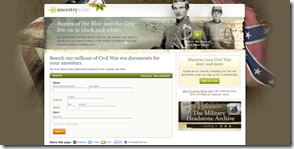
FamilySearch Civil War landing page Ancestry.com Civil War landing page

I’m no graphic designer; all I know I learned from a day-course in designing slide presentations. Compare the use of color, white space, and contrast in the two. Which do you like better? I know which one I like.

With this landing page, FamilySearch for the first time provides a search form that searches a group of collections. Here, the landing page searches a number of Civil War record collections. From the numbers along the top of the search results, it is apparent the FamilySearch Civil War landing page searches these five collections:

I find it weird that these five aren’t the same five listed on the landing page. And neither list matches the list on the flyer given out at the reception.

All this aside, I love these new collections. I love getting more people “enlisted.” And I love chocolate chip cookies.