Tuesday, November 15, 2016

Win Free #RootsTech Admission!

You'll celebrate when you win admission to RootsTechI want to remind you of my contest to give away a RootsTech plus Innovator Summit 4-day pass ($299 value) to one lucky reader. RootsTech 2017 will be held at the Salt Palace Convention Center in Salt Lake City, Utah, 8-11 February 2017.

To enter, send me an example of a darned record or a tale of serendipity. What is a darned record? Darned records are funny, weird, unique, cool, or awesome. What are tales of serendipity? Tales of serendipity embody uncanny coincidences, Olympian luck, or remarkable miracles.

Submit your entry to AncestryInsider@gmail.com by Friday the 25th, November 2016. You must comply with the rules to win. See “RootsTech 2017 Free Pass Contest” on my blog.

A RootsTech plus Innovator Summit 4-day pass gives you admittance to over 200 classes (more info tomorrow), keynotes (Reading Rainbow’s LeVar Burton, The Cake Boss, Buddy Valastro, and one more), expo hall, Welcome party, Oscar “Andy” Hammerstein III and the Mormon Tabernacle Choir concert, Celebrate Your Heritage event, 20 Innovator Summit sessions, Innovator Summit keynote (Liz Wiseman), Innovator Showdown, and the closing event. The closing event will be “Celebrating Life with Music—and Cake,” featuring comedian Jason Hewlett, BYU men’s a cappella chorus, Vocal Point, and women’s a cappella chorus, Noteworthy.

The RootsTech Welcome Party is an 80s themed event. Play 80s video games, listen to 80s music, enjoy appetizers and drinks, hear an Innovator Showdown announcement, and expand your network.

Liz Wiseman will address the 2017 Innovator SummitLiz Wiseman, the Innovator Summit keynote, is a best-selling author, speaker, and executive advisor that teaches leadership to executives and emerging leaders around the world. Some of her recent clients include: Apple, Disney, eBay and PayPal, Facebook, Gap, Google, Microsoft, Nike, Roche, Salesforce.com, and Twitter. Her best-selling books are Rookie Smarts: Why Learning Beats Knowing in the New Game of Work, Multipliers: How the Best Leaders Make Everyone Smarter, and The Multiplier Effect: Tapping the Genius Inside Our Schools.

I hope to see your contest submissions soon!

Monday, November 14, 2016

Monday Mailbox: LDS Consultants and #RootsTech 2017

The Ancestry Insider's Monday MailboxEvery year I receive questions about RootsTech discounts for family history consultants of The Church of Jesus Christ of Latter-day Saints.

Dear Ancestry Insider,

Is there a discount for family history consultants this year? What is the code?

Signed,
(various people)

Dear (various people),

Yes, there is a discount again this year. Consultants can get a RootsTech pass for $109 or a RootsTech plus Innovator Summit pass for $139. Compared to the regular price of $269, that’s a savings of $150! To register for RootsTech 2017, visit RootsTech.org. You will need a special code to get the discount. If the Church knows you are a family history consultant, you receive the Family History Consultant Newsletter email. The September 2016 newsletter (which for some reason I didn’t receive until 24 October 2016) contains a link to an article with the code.

If you don’t receive the newsletter, ask your clerk to enter your calling as a consultant in the Manage Callings section of Leader and Clerk Resources so you will receive it in the future. If you missed the September newsletter, please don’t ask me for the code. Ask another consultant who knows that you are a consultant.

For more information about getting the newsletter, check “Receiving My Family History Calling Newsletters.” For more information about RootsTech, check the RootsTech 2017 website.

Signed,
---The Ancestry Insider

Dear Ancestry Insider,

[Family Discovery Day] sounds wonderful, but I will be unable to attend that day. In the past, LDS family history consultants could get a ticket for free access to the vendor hall for other days. Do you know if that will be true of this conference?

Unsigned

Dear Unsigned,

I haven’t heard. I’ll ask.

Signed,
---The Ancestry Insider

Thursday, November 10, 2016

Medieval and Royal Lines in FamilySearch Family Tree

Richard I - The Lionheart on FamilySearch.orgBack in August Sharon Cross told me she had looked into her tree on FamilySearch. One branch extended to Richard I, the Lionheart (L6YS-KBW) through Roger Plowden (LCZ4-JT1). This threw a red flag, as Richard is known to have had no children—well, no legitimate children. Sharon double checked and found only one illegitimate child is attributed to Richard: Philip of Cognac, not Roger Plowden.

She went on to say:

On FamilySearch I counted over 85 couples listed as some form of his parents’ names (Henry II Plantagenet King of England and Eleanor of Aquitaine Queen of England).  There are at least 3 forms of Richard’s name, and one of them has his wife (Princess Berengaria de Nararre) written as Mrs. Richard 1.  When you click on her name, her occupation is listed as “concubine”; no sources listed.  HA!

All of this has me just speechless.

Let me say it for you. Medieval and royal lines are known to be among the worst in Family Tree. I counted 475 copies of Richard. I would expect a similar number for his parents. There are probably a quarter million persons in this category. If there are 475 copies of each, there are 119 million persons in Family Tree that need to be cleaned up. FamilySearch can’t expect users to do that much. Now that “Individuals of Unusual Size” no longer preclude merges, FamilySearch can write a program to merge high confidence European matches among pre-1500 persons. If they could get the number down to a million, users could take it from there.

Back in the old days, FamilySearch knew there would be havoc if they allowed just anyone to submit these family lines into Ancestral File. They ignored any submissions of persons previous to 1500. They had a medieval research unit at the Family History Library that took the few accepted sources, carefully curated the lines, and added them to Ancestral File. With Family Tree, the philosophy is that anyone can add anything to the tree. And they have.

FamilySearch Community TreesFortunately, FamilySearch has published the medieval unit’s research in the FamilySearch Genealogies > Community Trees collection.

Another well-sourced, pertinent community tree is

If you need to find information about European, medieval genealogies, I would go to these two sources.

While I’m talking about them, FamilySearch used to have a list of the community trees and a link for searching each. I wish they still provided that. Unless you know the identity of a person in one of the trees, it is impossible to find the tree. Here are a few I’ve stumbled across:

Actually, they still have a list in an article in the wiki. They just need to use it. Are there any volunteers who would like to fix the links for the trees above? That would be a start.

Wednesday, November 9, 2016

Free FamilySearch Webinars for November 2016

WebinarI received this webinar schedule recently from FamilySearch. Okay, maybe it wasn’t so recently; I’m a little behind.

November 9

  • 10:00 A.M. Italian Language Indexing Webinar (1½ hours)

November 10

  • 1:00 A.M. Descendancy Research Webinar

November 14

  • 1:00 P.M. Reivers and Relatives: Ancestors Along the Anglo-Scottish Border Webinar

November 15

  • 2:00 P.M. Exploring Danish Census Records Online Webinar

November 16

  • 10:00 A.M. French Language Indexing Webinar (1½ hours)
  • 10:00 A.M. GENTEAM.AT—A Necessity When Doing Czech and Austrian Research Webinar
  •   1:00 P.M. Lost in London: Tracing Elusive Ancestry in England’s Largest City Webinar

November 17

  • 11:00 A.M. Learn How to Use the Online, Searchable Meyer’s German Gazetteer Webinar
  •   1:00 P.M. Your British Questions Answered Webinar

November 19

  • 1:00 P.M. Preguntas frequentes de Árbol Familiar Webinar

November 22

  • 1:00 P.M. Using Digital Libraries for German Family History Research Webinar

November 30

  • 10:00 A.M. Dutch Language Indexing Webinar (1½ hours)

Access the online webinars directly by using the links in this PDF or

  1. Go to FamilySearch.org.
  2. Click on Search, and select Wiki.
  3. Search for [Webinars].
  4. Click on the result “Family History Library Classes and Webinars.”
  5. Click on the name of the month to get the the PDF with the links.
  6. Or scroll and click “show” to find the desired classes.

Tuesday, November 8, 2016

Free Access to Fold3 Native American Collection

Fold3 Native American CollectionAncestry’s Fold3 website is offering free access through 15 November 2016 to its Native American Collection. Fold3 has published over 1.5 million images of

  • Ratified Indian treaties for 1722-1869,
  • Indian Census Rolls for 1885-1940,
  • Dawes packets,
  • Dawes enrollment cards for 1898-1914,
  • Eastern Cherokee Applications 1906–1909,
  • Guion Miller Roll 1908–1910,
  • Cherokee Indian Agency TN 1801–1835, and
  • Native American Photos 1898.

(My own tribe is not represented. If I understand our history correctly, we were hit hard by small pox brought by English fishermen before permanent settlers came to Plymouth. After King Phillip’s War we were settled in a “praying Indian” village amongst the Nipmuc. But I digress…)

To learn more and to search the records for free through the 15th, go to https://go.fold3.com/native_americans_records/.

Monday, November 7, 2016

Monday Mailbox: Layton,

The Ancestry Insider's Monday MailboxDear Readers,

I received several replies to my inquiry about the size of the Layton FamilySearch Center’s microfilm collection. Here are some:

Dear Ancestry Insider,

On the new center's "Resources" page they say “This is a computer-only center and does not order microfilm,” and “There are no printed materials or books available in this facility.”

Geolover

Dear Ancestry Insider,

I toured the new center today. They have NO physical books. They say that is why it is not called a Library. All digital.

Thank your for sharing so much with us.

Janice Nusbaum

Dear Readers,

Wow. I don’t know how much to read into this. Patrons at the Layton center, 23 miles north of the Salt Lake Family History Library, will have to drive down to see film while patrons at the Riverton center, 23 miles south of the library, have their own film collection. I guess it makes sense that as more and more of the Family History Library’s book and microfilm collections go online, the less need there is for physical books and films. FamilySearch recently said publicly that they have 299,822 books in their digital collection. I don’t know that they’ve ever said how many films they have digitized. Certainly it is more than the 23,000 rolls at the Riverton center. Someone should ask them. But since they’ve said they will never put all the films online, you’d think they would still have a film reader or two. Wow.

Signed,
The Ancestry Insider

Friday, November 4, 2016

News Ketchup for 4 November 2016

Insider KetchupI’m way behind. Time for Insider Ketchup.

FamilySearch tree bulletFamilySearch has announced the class schedule for the Family History Library for November. Click here for the schedule. Most webinars are recorded and posted on the Family History Library Classes and Webinars Wiki page a few days after presentation, so you can access past webinars and handouts.

FamilySearch tree bulletFamilySearch has released its monthly wrap up of new features and changes on FamilySearch.org. They include:

  • A simplified help center experience. I mostly like it. They’ve obviously copied the Google search experience, placing the text entry box in the middle of a mostly blank page. However, I don’t like the elimination of a separate Learning Center search experience. It appears there is no way to filter by language, format, or ability level. Unlike Google, there seems to be no search tools or advanced search page. Hopefully they’ll find a way to work those features back into the mix.
  • FamilySearch has added 141 million new record hints into Family Tree. For more information, see the article “141 Million New Ancestor Hints Added to FamilySearch Family Tree” on the FamilySearch blog.
  • You can read and send message in the mobile app.
  • You can open a map in the mobile app.
  • Names of contributors appear in the Memories gallery.
  • You can upload a photograph while entering a story.
  • On 26 October 2016 FamilySearch published a bunch of new obituaries in the U.S. GenealogyBank obituary collection. Along with the new publication is the ability to see and navigate to others listed on the page. In the collection, 23 of the 31 million records were indexed by computer. If you view one of those records, a message will indicate it was indexed by a computer and you will be given the opportunity to request a correction. (That correction request feature is available only for this collection. If you want to make corrections to any other records, you are DOA.)

Bullet Ancestry.comI’ve received new reports that portions of RootsWeb—mailing lists in particular—are broken. An anonymous reader commented on 23 October 2016:

I am unable to post messages to either of the mail lists I administer. Nor can I subscribe to Listowners-L. I took a look at various list archives, it appears the mailing lists have not not been working since Oct 7 2016.

Andy Micklethwaite sent me this message on 21 October 2016:

I received this as a reply to a post on a Facebook group:

“Morning, as you are probably aware they upgraded the servers recently. At the same time they upgraded Mailman, the lists software, to the latest version which was long overdue. It’s the latter that has caused the problem, I believe. The lists have been down since the 7th October. Hopefully they will be back in due course but no date is known.”

Bullet Ancestry.comAncestry employees recently spent a week building a home for Habitat for Humanity. Employees from their Lehi, Orem, and Salt Lake City offices helped build a new home for a local American Fork family. “We want our employees to get personally involved in the community,” said Ancestry’s Camille Penrod. “[We] offer our employees time to volunteer on the clock so they’re able to participate in meaningful charities.” For more information, see “Ancestry Employees Give Back” on the Ancestry Tech Blog.

FamilySearch tree bulletFamilySearch is gradually rolling out a new homepage design. I’ve written about it before. Regular users have probably all started seeing it. The left side contains inspiring videos, tree-specific resources, and recently added photos, recordings, stories, and documents about your ancestors and their families (and advertisements, I might add). The right side contains a list of recently seen ancestors, recommended tasks, and a to-do list. For more information, see “New FamilySearch Design: Log In to Try It Out” on the FamilySearch Blog.

Bullet Ancestry.com“Ancestry recently announced the creation of a Tech and Product User Group in Utah with the goal of encouraging collaboration between companies across the Wasatch Front to solve difficult and interesting technology and science problems.” For more information, see “Ancestry Hosts First Tech/Product Meetup in New Lehi HQ” on the Ancestry Tech Blog.

Thursday, November 3, 2016

Layton FamilySearch Center Open House

Layton FamilySearch CenterFamilySearch has announced the opening of a new FamilySearch center in Layton, Utah. The goal of the center is to provide a fun, family oriented experience to learn about who you are and where you came from, with interactive displays, a children's area, two recording rooms, and 140 computers, 60 of which have touch-screen monitors.

They are having an open house today through Saturday. The hours of the open house are

  • Today (Nov. 3), 1-9 p.m.
  • Friday (Nov. 4) and Saturday (Nov. 5) from 9 a.m. to 9 p.m.

The center is located at 915 W Gordon Ave., Layton, UT 84041-4811. Please enter the parking lot on the north side of the building and continue to parking areas on the south side. Overflow parking is available on the north side of the Deseret Industries building.

imageAccording to information provided by FamilySearch, the center includes experiences debuted in the FamilySearch Discovery Center in Salt Lake:

Your visit will be as unique as you are. Learn about the meaning of your name, what happened the year you were born, and other fun facts. See where your family came from, view photos of family members, and read their stories—all on 55-inch touch-screen monitors. Data used for the interactive experiences is drawn from FamilySearch.org [Family Tree] and selected partners.

This state-of-the-art FamilySearch Center with 13,979 square feet has casual seating and collaboration areas, making it easy for families and youth groups to work together on laptops, iPads, or other mobile devices. The center and its resources are open to the public at no charge (a small fee is required for printing and making photocopies). If the usual family history center model is used, the library is staffed with volunteers with differing areas of research expertise. I recommend inquiring to find the best experts in your area of interest. I assume the center replaces multiple, smaller centers in the area. I wonder how large their microfilm collection is. Riverton has 23,000 rolls. Anybody out there know?

For more information, visit the event’s Facebook page or the center’s website at familysearch.org/fhc/layton.

Wednesday, November 2, 2016

#RootsTech 2017 Free Pass Contest

The Ancestry Insider is a RootsTech 2017 ambassador.Once again I am giving away a RootsTech plus Innovator Summit 4-day pass ($299 value) to one lucky reader. (If you win and you’ve already purchased a pass, you can get a full refund.) RootsTech 2017 will be held at the Salt Palace Convention Center in Salt Lake City, Utah, 8-11 February 2017. The pass gives you:

  • Innovator Summit 2017 keynotes and classes
  • Innovator Showdown
  • Over 200 classes, including RootsTech classes and Getting Started classes
  • Keynotes: Reading Rainbow’s LeVar Burton, The Cake Boss, Buddy Valastro, and one more soon to be announced
  • Expo hall admission
  • Welcome party
  • Evening event: Oscar “Andy” Hammerstein III and the Mormon Tabernacle Choir
  • Evening event: Celebrate Your Heritage
  • Closing Event: "Celebrating Life with Music—and Cake," featuring comedian Jason Hewlett, BYU men’s a cappella chorus, Vocal Point, and a cappella chorus, Noteworthy

(There are extra charges for add-ons: luncheons and lab classes. This pass does not include Family Discover Day, which requires a separate registration.)

The rules are:

  • Send me an example of a darned record or a tale of serendipity. What is a darned record? See examples from my past articles. Darned records are funny, weird, unique, cool, or awesome. Extra credit is given if the example is instructional. For example, two birth certificates for the same person, each with a different date, instructs us that no record, no matter how trustworthy the class of record, is beyond examination. What are tales of serendipity ? See examples from my past articles. Tales of serendipity embody uncanny coincidences, Olympian luck, or remarkable miracles. These go beyond what hard work would accomplish or random chance would explain.
  • I’ve published many funny names, so that get’s a little old. If you submit a funny name from the census, it better be really interesting. Darned records of other types might catch my interest better. 
  • Write up an article about the record or the tale, ready for publication on my blog. By submitting your idea, record, article, photograph, or image, you give me permission to publish it, but it wouldn’t hurt for you to explicitly state that you are giving me permission.
  • I might edit (“rewrite”) the article to match my style. (I warn you so you won’t be offended.)
  • I will give you credit. Tell me if you want your name to appear a particular way.
  • Attach an image of the record. If the record is online, also send the URL. For a tale of serendipity, include a photograph or image related to the tale.
  • Include a citation for the record and any other sources used. Don’t worry about it being encyclopediacticly correct.
  • Obtain permission from any living persons mentioned or pictured and so state in your email.
  • Begin the subject line of your email with “Contest Entry: ” followed by a good title for the article.
  • Submit your entry to AncestryInsider@gmail.com. I must receive it before the end of Friday the 25th, November 2016, Mountain Standard Time. The gmail timestamp will be the official time of receipt.
  • If you’ve previously submitted a record or tale and I have not published it, submit it again, following all the instructions above.
  • Employees of FamilySearch are ineligible.
  • I will choose the winner by how awesome I think the record or tale is, how well I like your article, and how well you followed these instructions.
  • I reserve the right to change the rules if a situation comes up that I didn’t foresee.

I look forward to receiving your submissions!

Tuesday, November 1, 2016

#RootsTech and Family Discovery Day Keynotes

In the past several weeks RootsTech 2017 has announced some of the keynotes for RootsTech 2017 and Family Discovery Day. RootsTech keynotes will be Buddy Valastro on Saturday, LaVar Burton on Friday, with Thursday’s soon to be announced. Family Discovery Day speakers will include Kalani Sitake, Hank Smith, and Vai Sikahema.

The Cake Boss, Buddy Valastro will speak at RootsTech 2017.Buddy Valastro is a 4th generation baker, and TV personality on the Cake Boss. He worked side by side with his father in the family business, Carlo’s Bakery, from the age of 11 years old. He inherited the business six years later when his father unexpectedly passed away. Buddy Sr., the original Cake Boss, followed in the path of his father and his father, both bakers in Sicily. Buddy Sr. bought Carlo’s Bakery from Carlo Guastaffero in 1963. You don’t mess with an Italian la famiglia, if you know what I mean. The Cake Boss is Buddy Jr.’s original hit TLC series. Spinoffs include Cake Boss: Next Great Baker (a competition for a chance to work alongside the Valastro family at Carlo’s) and Buddy’s Bakery Rescue (Buddy helps other struggling, family bakeries). He has opened a string of bakeries, authored several books, made nationwide tours, and opened a restaurant in Vegas. Creating amazing cakes connects him with his father and his Italian family history. Come see why mixing eggs, sugar, butter, and flour means a lot more than “making a cake” to Buddy Valastro.

LaVar Burton will speak at RootsTech 2017.LaVar Burton has appeared in Reading Rainbow, Star Trek the Next Generation, and the 1970s television miniseries that launched his career, Roots. He has been an actor, director, producer, writer, and speaker. He has a passion for literacy, storytelling, and imagination. Reading Rainbow (1983-2009) earning more than 200 awards including 26 Emmys and a Peabody. “The story of Roots traces a family's journey from Africa to America and back. At RootsTech, I'll share some of my own journey of family, storytelling and the influence of African culture on my American experience,” LaVar said.

RootsTech 2017 will be held at the Salt Palace Convention Center in Salt Lake City, Utah, 8-11 February 2017. Learn more on the RootsTech 2017 website.

Family Discovery Day is a free event for members of The Church of Jesus Christ of Latter-day Saints, to be held 11 February 2017 in Salt Lake City. While free, registration is required. Attendees are invited to come and hear inspiring messages, engage in interactive activities for all ages, and discover the latest technology, products and services in the family history industry by touring the expansive expo hall. Kalani Sitake, Hank Smith, and Vai Sikahema will be some of the speakers. More will be announced soon.

Kalani Sitake, Hank Smith, and Vai Sikahema will be some of the speakers at Family Discovery Day 2017.Kalani Sitake is the current head football coach at Brigham Young University where he played as a running back in his college days. He came to BYU from Oregon State, where he served as assistant head coach and defensive coordinator. Hank Smith, a popular speaker, author, and professor of religion at Brigham Young University, loves to teach from the scriptures, especially to the youth and young adults of the Church. Vai Sikahema is a former football player for BYU (including playing on the 1984 national championship team) and for the NFL (1986-1993). He currently works as a sportscaster in Philadelphia. I was at student at the Y and watched his fearless kickoff returns and they were amazing. I heard a devotional he gave at BYU and it was wonderful.

Learn more on the Family Discovery Day website.

Thursday, October 27, 2016

Find A Grave Community Event Finds 211,655 New Graves

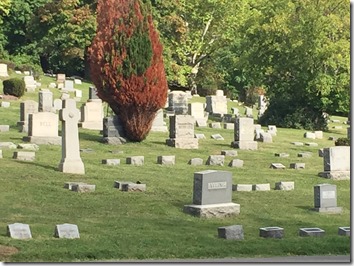
Photograph of a cemetery by the Ancestry InsiderAncestry’s Find A Grave community event on the 7th through the 9th earlier this month resulted in an additional 211,655 new photographs on FindAGrave.com. Hundreds of volunteers participated in 175 cemeteries worldwide. They provided 8,232 photographs to people who asked for specific grave markers and added 203,448 new memorials.

Thank you, to all the community minded folks who participated. Your contributions enrich us all.

Wednesday, October 26, 2016

Ancestry.com Releases We’re Related App

Ancestry.com has released a new smartphone app: “We’re Related.” The app appears squarely aimed at capitalizing on social media to spread interest in genealogy in general and Ancestry in particular. Ancestry has tried to do this before. Somehow, sharing census documents hasn’t proven to be a big draw. But they’ve always understood that people are jazzed to find they are related to some big celebrity. Enter: We’re Related.

We're Related by Ancestry title screen

The We’re Related app will tell you what celebrities you are related to and show if and how you are related to your friends. You don’t need an Ancestry account or tree to sign up. But you will need a Facebook account. This is a social media app, after all. Someone has said (s)he was able to sign in with just an Ancestry account. Either that option has since been eliminated, or (s)he didn’t realize the phone was already signed into Facebook. Mine was already logged in, all I had to do was tap “Continue as Anthony.” Before doing so, however, you can tap “Edit This” and withhold some of your Facebook profile from Ancestry: friends, email address, relationships, or birthdate.

We're Related - Facebook login error  We're Related - Facebook Login  We're Related - Facebook permissions 

After logging in you can enable notifications of new relatives.

We're Related - Notification Query

I don’t think it asked me to log into my Ancestry account. Perhaps it was able to piggy-back on my Ancestry app login. Regardless, I could continue with that account or switch to another. The app then invited me to select one or more trees containing relatives. I chose one in which I appear. Despite my having identified myself in that tree, the app double checked my identity.

We're Related - Ancestry Login  We're Related - Choose a Tree  We're Related - Identify Yourself

At this point Ancestry had enough information to search for relatives. There has been conjecture on how Ancestry does this. The app indicates it searches its 70 million public member trees.

We're Related - Finding Relatives

However, swinging from tree to tree like some kind of digital Tarzan trying to find connections between you and people hidden in the jungle would be slow and expensive. Surely they have combined all their member trees into a single shadow tree. Long time Ancestry followers know about One World Tree which they created by combining user trees. You may have seen Ancestry Shaky Leaf hints which Ancestry combined from multiple trees. They obviously have the ability to combine multiple trees.

After a short time Ancestry showed my first relative:

Is the Ancestry Insider a distant relative of Miley Cyrus?

That was a shock. Obviously the app gives erroneous results. I scrolled down and my next result was more believable:

Is the Ancestry Insider a distant relative of Bill Gates?

I can’t wait to call my ol’ cousin Bill! I’m showing up unannounced for Thanksgiving and I’ve added him to my Christmas card list. And after he passes on, I’ll be contesting the will because my omission will totally be an oversight.

Maybe I’ll invite him to use the app too. In the upper-right corner of the screen you can tap and “Invite” all your Facebook friends to download the app. If each person were to convince five other persons to get the app within 24 hours, then in no more than two weeks there would be 30 billion app users.

In the upper-left you can tap to select categories of famous relatives. I’m guessing Ancestry is still loading more of these or I would have gotten hits in more categories. The categories are: all, favorites, actors, business people, artists, writers, criminals, educators, entertainers, explorers, historical figures, journalists, crime fighters, Medal of Honor recipients, military figures, musicians, rich people, politicians, religious figures, royalty, scientists, reformers, sports figures, presidents and wives, and supreme court justices.

Beneath each relative are three icons: a pedigree, a heart, and the standard share icon. Tap the pedigree icon to see your common relative. In the case of Bill Gates, our common ancestor is, according to his picture, a rock. Tap the generational number to see the chain of descent. At the bottom of the chain are thumbs up and down to allow you to indicate if the path looks correct.

The Ancestry Insider's and Bill Gate's common ancestor  Bill Gates line of descent from his common ancestor with the Ancestry Insider  Bill Gates's immediate ancestry

I’ve seen reviews by a couple of popular bloggers who have immediately discovered erroneous lines. Randy Seaver discovered the pedigrees of some well-researched living and deceased famous people are wrong. (See “Fact-Checking My WJB Clinton Relationship - WRONG!”). Judy Russell wrote in “No, Actually, We’re Not Related” that Ancestry found several ancestors who were wrong or dubious. Errors can be introduced when a machine combines trees. More likely, the errors existed in the member trees before combining. After years of encouraging users to willy-nilly add dubious shaky leaves to their trees, Ancestry now reaps the results. But for marketing purposes, growing trees has made new Ancestry.com users happy and finding famous relatives is going to make We’re Related users happy too. For Ancestry, it’s win-win.

Adjacent to the pedigree icon is a heart. Use it to indicate a relative is a favorite. Adjacent to it is the standard sharing icon, allowing you to share your new found famous relative via email, texting, and whatever social media apps you have installed.

After scrolling through all my results, Ancestry dedicated an entire screen to convince me to invite all my friends. One of the goals of social marketing is, after all, to “go viral.” Inviting a circle of friends also allows you to see if and how you are related.

One of many Ancestry We're Related viral marketing opportunities

There are four icons along the bottom of the screen. The first, “Insights,” is the page on which I’ve been viewing all my relatives. The second is “Tree.” Here I can edit or extend my Ancestry Member Tree. Ancestry can’t do its magic until my tree goes back far enough to connect to the shadow tree. I can also invite relatives to get the app and edit my Ancestry Member Tree. I imagine if a user doesn’t have an Ancestry tree, We’re Related prompts them through creation of one.

We're Related - Tree Display

The third icon is “Nearby.” According to the app:

We’re Related Nearby lets you find relatives who are literally close to you. We use your location to check if there are others using this feature within 500 yards of you. If so, we’ll tell you if you’re related. If you don’t want to know, go to “settings” and turn off your location.

We're Related - Nearby Users

The remaining icon accesses sharing and settings. To maximize their viral possibilities, Ancestry allows sharing via Facebook, Instagram, Snapchat, texting, and more.

We're Related - More Options

If you don’t mind helping Ancestry’s marketing efforts, and if you don’t mind sharing personal details from your Facebook profile, and if you want a little gratification at the expense of accuracy, Ancestry’s We’re Related app is a fun bit of entertainment. Download it at www.wererelated.com.

Tuesday, October 25, 2016

Ancestry’s Nathan Murphy Elected Fellow of ASG

Nathan Murphy of Ancestry Progenealogists elected FASGNathan Murphy of Ancestry.com subsidiary, ProGenealogists, was elected earlier this month as a fellow of the American Society of Genealogists. The society is an independent honorary organization composed of 50 leading, published, genealogists. Election is for life.

According to the ASG website:

Election to The American Society of Genealogists is based on a genealogist’s published work. Emphasis is upon compiled genealogies and published works that demonstrate an ability to use primary source material; to evaluate and analyze data; to properly document evidence; and to reach sound, logical conclusions presented in a clear and proper manner.

As vacancies occur, any Fellow may propose a genealogist he or she feels meets the Society’s exacting standards. Election requires action by at least half of the membership present at an annual meeting and fails if the affirmative vote is less than eighty percent of those voting. All proceedings of the ASG are privileged and Fellows may not disclose the name of any person under consideration.

Nathan was elected as the society’s 165th member. He has had numerous articles published in the major genealogical journals over a decade and has received numerous awards. Ancestry ProGenealogists employs another fellow, Gordon Remington. Some of the other fellows are Elizabeth Shown Mills, Tom Jones, Hank Jones (who wrote the book—literally—on serendipity in genealogy), and Kip Sperry.

I had the privilege of working with Nathan at FamilySearch. Congratulations!

Monday, October 24, 2016

Monday Mailbox: Oops

The Ancestry Insider's Monday MailboxA user posted a comment about my article, “Darned Records: I’m My Own Grandmother.” It appears we’ve been had.

Dear Ancestry Insider,

I regret to inform you that the Florida Sun Post is a fake or satirical news publication: http://www.dailydot.com/irl/florida-man-granddaughter-marry-hoax/.

Signed,
Joe Lowry

Dear Joe,

Oops.

Signed,
The Ancestry Insider


Dear Ancestry Insider,

I have been busy of late and decided after reading [“FamilySearch Adds 141 Million New Record Hints] article that for a few hours today I would have some fun and go back to the LDS site but alas they wouldn't let me sign on so I tried to make a new membership and password and they said I was already a member and to please sign in but when I tried to sign it it said I wasn't a member and would I please create a new password and so I did and on and on and on until I finally thought they got it and a sign came on that said, "timed-Out." I do hope that others don't have as much trouble as I had or they will lose more members than they will ever gain. Trick or treat?

Signed,
Connie

Dear Connie,

If it is still happening, send me your username and email address and I will look into it.

Account management is one of the most difficult aspects of FamilySearch. In fairness, account management is difficult on many websites. Mastering the art of username and password recovery is a good skill to have. For many websites I use infrequently, I don’t bother writing down a password; I just use password recovery every time I use the website. To recover a username or password, you do need to have access to email. And unless you are on your own computer, you will need your email username and password.

I helped a lady in the Family History Library one day. She was in your same predicament, but she could not remember her email password. If you forget both your email password and website password, it can be hard recovering access to that website.

Signed,
---tai

Tuesday, October 18, 2016

FamilySearch Adds 141 Million New Record Hints

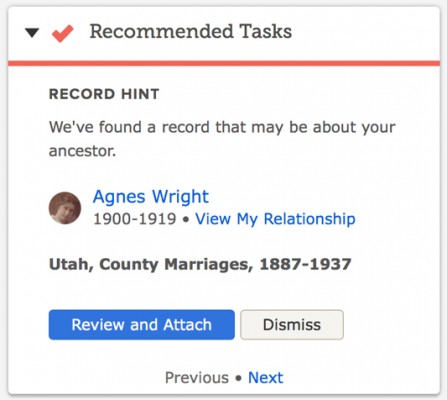
FamilySearch Record HintsTwo years ago FamilySearch added a feature (available on Ancestry.com for many years): record hints. FamilySearch compares names from its historical records with names in FamilySearch Family Tree. “When we put the data together for comparison and find high-scoring matches to people in your family tree, that’s what we call a hint,” explained Robert Kehrer, FamilySearch senior product manager. “In essence, the FamilySearch.org search engine is constantly working to make research discoveries for you without your having to do much more than login, validate what it found, and accept the hints.”

FamilySearch’s historical records contain five billion names. FamilySearch Family Tree contain 1.2 billion. Comparing the two in September, FamilySearch generated an additional 141 million hints over the 1.5 billion already found. Kehrer said 98.5% of the hints are accurate. Errors occur when persons in the tree have common names, are born in populated places, and have few known relatives, according to Kehrer. (I’m not too familiar with urban research, but it seems to me that companies don’t key enough identifying information about people in big cities. If they would key address, occupation, religion, and other differentiating information for people in big cities, it would be easier for users to find people and would improve the accuracy of their hint system. It shouldn’t be too hard to determine population levels necessitating the keying of additional information. FamilySearch and Ancestry don’t seem to understand the cost/benefit analysis.) Noteworthy among the new hints are those from the 1851 and 1881 England and Wales censuses.

To enlist the FamilySearch hinting system to find records of your ancestors, their names must exist in Family Tree. If they are not already there, you can add them at no cost. If you do, be prepared to defend your conclusions to other descendants. That’s not necessarily a bad thing; we should all be able to do that. Also, because of the uneven experience level of tree participants, expect to spend time teaching others with less experience.

For more information, see “FamilySearch Adds 141 Million Family History Record Hints” in the FamilySearch newsroom.

Monday, October 17, 2016

Monday Mailbox: Entering Unknown Persons in Family Tree

The Ancestry Insider's Monday MailboxDear Ancestry Insider,

I know nothing about the parents of my 4x-great-grandmother Mrs. Betsey Ann Embody. https://familysearch.org/tree/person/LJG2-R4G/details

However, from a newspaper report shortly prior to her death, I do know that she was visited by a sister, "Mrs. Hodge of Herkimer." I can create a person named "Mrs. Hodge" in the FamilySearch Family Tree, but to link them as siblings, I need to create at least one person who is a parent to both of these women.

Is there a best practice for naming these people so that I don't interfere with other users' searches and with FamilySearch's record hinting and duplicate matching? Or should I not be creating people when I know absolutely nothing about their names, and instead use notes to record this information until I learn more?

Thanks for any insight you can share.

Signed,
Jason Thompson

Dear Jason,

This is, indeed, a quandary. FamilySearch Family Tree—and any other tree system that I’m aware of—doesn’t support a true sister relationship. Under the covers, they only support parent-child and spouse-spouse relationship types. Under the covers, they also don’t have a placeholder feature for a parent of a person without a known surname. That’s not a problem in a personal tree. You do whatever suits you, such as creating a parent named “Parent of Betsey Ann [—?—]” and attaching both children. In a shared tree, you don’t have that latitude. You have a responsibility to the thousands of other users of the tree. Such a construct would be confusing and could lead to disastrous merges.

There’s also the issue of independent verification of the sister relationship. In my experience, people sometimes use relationship terms—like sister—ambiguously. I’ve found that particularly so in newspapers where the local town gossip—um, I mean “Around Town” newspaper reporter—makes unfounded assumptions. Mrs. Hodge may be a step-sister, a sister-in-law, or an organizational sister.

I would use the notes option. Reasonably exhaustive research may uncover Betsey Ann’s surname.

Signed,
The Ancestry Insider

Friday, October 14, 2016

Darned Records: I’m My Own Grandmother

UPDATE 21 OCTOBER 2016:Reader Joe Lowry posted this comment: I regret to inform you that the Florida Sun Post is a fake or satirical news publication: http://www.dailydot.com/irl/florida-man-granddaughter-marry-hoax/.


Man marries his biological granddaughter.We depend upon records to reveal the “truth” about the past. Yet sometimes records have anomalies. Some are amusing or humorous. Some are interesting or weird. Some are peculiar or suspicious. Some are infuriating, or downright laughable. Records say the darnedest things!

Certain information flags immediate suspicion in an online tree. Ever see a son who is older than his father? But be careful. One needs to think twice about making assumptions without proof. What would you think if you saw the pedigree of a woman who was her own grandmother? You might be wrong.

According to the Florida Sun Post,

A 68-year old man from Miami’s Golden Beach neighborhood has reportedly had a ‘terrible shock’ after discovering his new bride, a 24-year old woman from Jacksonville, is actually his own biological granddaughter. The couple, who have only been married for three months, made the discovery while looking through a photo album.

When the man showed the woman a photo of his oldest son, the woman identified the son as her father. The man had lost contact with his son when his wife left him. The woman had lost contact with her father when he kicked her out of the house.

Read the entire story on the Florida Sun Post website.

Thursday, October 13, 2016

#RootsTech End of Early Bird Pricing 14 Oct 2016

RootsTech 2017 is February 8-11, 2017 in Salt Lake City, Utah.

I received this from RootsTech:

Early Bird Discount Expires in Two Weeks!

Save over $100! Regularly priced at $269, you can purchase a RootsTech 2017 4-day pass for ONLY $159. Price expires 2 weeks from today,
October 14. With over 200 classes to choose from, keynote sessions with inspiring speakers, entertaining evening events, huge expo hall, and more, RootsTech 2017 will be THE experience not to be missed.

The cost does not immediately rise to $269. RootsTech uses a stepped approach. The price increases to $189 tomorrow.

Register or get more information about RootsTech 2017 on the RootsTech website.

Wednesday, October 12, 2016

Ancestry.com Receives Economics Award

Click to see Utah Valley BusinessQ magazine's list of the area's top 50 companies.In their Fall 2016 edition, Utah Valley BusinessQ recognized the top 50 businesses in the area. They rated Ancestry.com as the number six “economic engine” in Utah County. Economic engine rankings are based on annual revenue, number of employees, contributions to the local economy, and other factors.

Ancestry described themselves as “the world’s largest online resource for family history and consumer genetics.” They had $683 million in sales last year. They have 1,000 employees in Utah and 1,400 world-wide. They are located in Lehi, Utah in a new $35 million building. There are 75 million searches on Ancestry.com every day.

“Hire great people from diverse backgrounds and invest in them,” Tim Sullivan advised.

Read the entire article on the Utah Valley 360 website.

Monday, October 10, 2016

Monday Mailbox: FamilySearch Sign In “Woahs”

The Ancestry Insider's Monday MailboxDear Ancestry Insider,

Do you happen to know if there is any reason we have to sign in every time we use FamilySearch? Is there any movement afoot to change that?

Signed,
Ellen Barnett Cleary

Dear Ellen,

FamilySearch is owned by The Church of Jesus Christ of Latter-day Saints which holds the reins of the sign in module for FamilySearch.org. The Church takes an aggressive stance on sign in security. FamilySearch previously convinced the Church to allow users to remain signed in for two weeks. However, that feature doesn’t work quite right for me; I am signed out every time I visit FamilySearch.org. Is that what is happening to you? For me, selecting Sign In signs me in again without requiring password entry until the two weeks have expired.

If I recall correctly, someone asked Ron Tanner that same question at RootsTech. If I recall correctly, he said that FamilySearch would like to lengthen out how often one must sign in, but couldn’t say if it would ever happen.

Signed,
---The Ancestry Insider