Showing posts with label FamilySearch Tree. Show all posts

Monday, May 1, 2017

Monday Mailbox: FamilySearch Change or User Change?

The Ancestry Insider's Monday MailboxDear Ancestry Insider,

Hello, I enjoy reading your emails, and wonder if I missed something important, such as:

        Did Familysearch.org change how personal family trees are managed?   

Last week I looked up my Wilmot tree there, and found someone had changed a last name of an ancestor to Wilmont, when the father and grandson were right there as Wilmot. Duh???

A friend said the family trees are now wide open and anyone can add or change information.

        Normally, all information is good, but in this case I am dealing with an idiot.  

Then someone else gave my Hessian ancestor, John Stegman, a wife who was his mother-in-law,

Does this mean that my tree can be changed by anyone going online to FamilySearch.org?

If that is the case, I will not use the program anymore.  It would be a waste of time - I am not a church member - have served/helped many years in a local Family History library.Too many people are well meaning but uneducated on proof of sources.     Ellen Thorne Morris, Monmouth Co., New Jersey

Dear Ellen,

May Day! May Day! (Yes, today is the first of May. But I digress…)

There has been no change. FamilySearch has Genealogies (personal trees) and it has Family Tree (a shared tree). What you are using is Family Tree, and yes, anyone can change anything. FamilySearch’s Genealogies feature is a GEDCOM preservation service. It is not an online tree management program like Family Tree or Ancestry Member Trees. It is merely a repository to preserve and share your life’s work.

  1. Export a GEDCOM file from your genealogy program.
  2. Go to FamilySearch.org.
  3. Select Free Account in the upper-right corner and create an account. Or if you already have an account, sign in.
  4. Select Search > Genealogies.
  5. Scroll to the bottom.
  6. Underneath “Contribute Your Research to the FamilySearch Community,” select Submit Tree.
  7. Follow the instructions to add your tree.

You will be given the opportunity to synch your tree with Family Tree. That step is unnecessary, especially since it sounds like you already have. I don’t know how long it takes to appear, but when others go to Search > Genealogies and search for a person, they will see results from your tree along with the other contributed GEDCOMs.

Ellen, let me close with a heartfelt thank you for your service in a family history center. Several times last month I had patrons express frustration at the limited hours of their local center. It is only through volunteers like yourself that FamilySearch family history centers are open at all. Thank you, thank you!

Signed,
---The Ancestry Insider

Monday, March 27, 2017

Monday Mailbox: Preservation of Photos and Stories on FamilySearch

The Ancestry Insider's Monday Mailbox

Dear Ancestry Insider,

I have been using FamilySearch Memories as my main repository for family history-related photographs and documents, with the hopes that this material will be preserved “forever.”  Do you think there is a chance that the LDS Church could abandon the FamilySearch Family Tree and Memories projects, with all of this material being lost?

Thanks,
Thomas Abbott

Dear Thomas,

There is always a chance your scanned images of photographs and documents could be lost. Elder D. Todd Christofferson, an apostle of The Church of Jesus Christ of Latter-day Saints, recently reaffirmed the Church’s belief that it will endure forever and one of its duties is offering ordinances to both the living and the dead. If he is correct ((and I believe he is), then your images are not in danger for reasons of the Church ceasing to exist or losing interest in family history work. However, there are other reasons to consider. Storing those images is very expensive and preserving them is more difficult than you might think. One can argue that preserving them is not essential to offering ordinances to the dead. There is always the possibility that the Church would divest that portion of their family history efforts to one of the many other companies offering that service. Failure of that 3rd party then becomes a possibility. There are no plans to do this, but one can not rule out the possibility that it could someday happen. And there is always the possibility of catastrophic failure that inadvertently destroys all the Church’s copies of your images. I think that would be nearly impossible, but stranger things happen.

Similar arguments can be applied to FamilySearch Family Tree. I believe there is an additional risk for Family Tree. If FamilySearch can’t find a way for non-genealogists and competent genealogists to coexist in the same tree, then Family Tree might collapse under its own weight.

I believe the lesson here is the same one we talked about last week: many copies of images and information increase the possibility that they will survive.

Signed,
The Ancestry Insider

Monday, March 20, 2017

Don’t Let Your Research Be Flushed Down the Toilet

The Ancestry Insider's Monday MailboxThe Monday Mailbox, “17 Years of Research Being Flushed Down the Toilet,” drew lots of great suggestions on ways Larry—or anyone else—can preserve your research before you are gone.

Doris Wheeler suggested the many copies approach to sharing your tree online:

I still advocate also using GEDCOM to post my tree (without images) to Wikitree, RootsWeb WorldConnect, Ancestry, FamilySearch, MyHeritage, and any other place I can. The thought of losing the fruits of all that hard work is unbearable.

(Sarah V offered to help out if you wish to go the Wikitree route. Just reply to her message.) I said in my article that no one could see your Ancestry tree but subscribers. Barry M Spinner reminded me that Ancestry is available in many libraries, whose patrons will also be able to see your tree.

While some people are concerned about sharing, Carol Yocom said, “I've always shared my work gladly. There are mistakes, but most of it is well sourced.” She said posting several thousand images is “labor intensive, but I'll be damned if 45+ years of work ends up in a dumpster.” She hopes “it proves useful to others after I've collected my ticket outta town!”

Proofreader said, “It's hard to beat good old fashioned paper.” Plenty of people agreed, and again advocated the many copies approach. Mary Chamberlain said,

I think it's important to get hard copies of the tree and any source documents to as many libraries, historical societies, and genealogical societies as possible. Not just those in the area where Larry lives now, but those in areas where branches of the family once lived.

Jim Culbert said that some societies accept paper, some electronic, and some will not be interested at all.

Cat fan said,

If you can create a report with all your family research information and images,and save the document (MS Word or PDF); you can send it to the Allen County Library in Fort Wayne IN. They will print a copy for reference at the library and send you a copy.

For more information, see http://www.genealogycenter.org/Donate.aspx.

If you check with them beforehand, the FamilySearch Family History Library in Salt Lake City also accepts donations of books you’ve written. However, they are very picky. Books must be readable, very well organized family history books, rich in standard, genealogical information about people. The preferred format is electronic: a Word or PDF file. Next best is unbound, double sided printed pages. You must be the copyright holder and sign a document giving FamilySearch permission to freely make copies of your book. (I’m pretty sure this includes digital copies posted for free use on the Internet.) They do not accept family tree databases, nor collections of pedigree charts and family group sheets. (I assume that these can be elements of your well-written family history book.) Don’t think you can print out your GEDCOM, throw a hard cover on it, and send it to the Library.) Before donating, contact the donation staff at bookdonations@familysearch.org or call 1-801-240-1855.

I think if you produce a book of Family History Library quality, you should have no problem placing copies in several libraries of various types and town, county, and state genealogical and historical societies. Nancy Smith Gibson warned not to forget your local genealogical society:

I would suggest donating your research, both your tree(s) and back-up information to your local genealogical library or organization. Our local genealogical library benefits greatly from donated research, books, pictures, etc. Sooner or later, somebody either comes in, calls, or emails looking for information and we are so happy to be able to provide some detail that gets overlooked when the majority of information is digitalized. We have many volunteers who work one, two, or more days a month to organize and file. Don't forget your local organizations.

Nancy Smith Gibson
The Melting Pot Genealogical Society and Library
Hot Springs and Garland County, Arkansas

Joseph Martin additionally sent his books to some 65 family members and published about 30 articles in various genealogy magazines, “trying to assure that my 45 years of research will be preserved.”

Connie Moretti pointed out that if you qualify for membership in a lineage or heritage society like the DAR, SAR, Mayflower, and Jamestowne societies, they will preserve your application and all the documentation.


Regarding saving your photos and document images to FamilySearch.org: I had asked Legacy, “Does Legacy allow uploading source images to FamilySearch Family Tree?” Legacy responded: 

We would LOVE to see this but FamilySearch does not allow this, at least not yet.  We can only do what FamilySearch allows (they call the shots on what features we can have).  As soon as they give us the go ahead our programmers will make it happen.  For now, you have to upload photos manually on FamilySearch itself.

Signed,
Michele
Enhancement Requests
Legacy Family Tree

According to P Walker, Ancestral Quest is already doing it:

I imported my RootsMagic gedcom into Ancestral Quest (wasn't happy with how images were treated during the import, however, but maybe other imports, such as from Legacy and PAF would do better) and then synched those with FamilySearch Family Tree and it's really going quickly getting images up into FS and also downloading any new ones anyone has added.

It's taking longer for RootsMagic and Legacy to add this as it's not a priority of theirs right now…

The Ancestral Quest page on FamilySearch.org indicates P. Walker is correct.

As I reported last Monday, RootsFinder will soon (if they don’t already) have the capability to upload to FamilySearch Memories the photos associated with a GEDCOM.

Friday, March 17, 2017

Insider Ketchup for 17 March 2017

Insider KetchupLot’s of stories I didn’t get to this week. Time to ketchup.

Bullet Ancestry.com I received my March 2017 newsletter from Ancestry. The newsletter linked to an Ancestry sponsored three minute YouTube video from the Photo Detective, Maureen Taylor. Maureen explains how to care for your old photos and relates some of her experience identifying people in old photos. The newsletter pointed out that Ancestry will be at the NGS Conference in Raleigh, North Carolina, 10-13 May 2017 and invited readers to register. Finally, the newsletter pointed to an article/advertisement that you might find interesting. AncestryDNA product manager, Anna Swayne, compares her Irish-ness to that of her sisters.

Happy St. Patrick’s Day, everyone!

FamilySearch tree bullet FamilySearch posted “How to Add Sources” on their blog. It explains three ways to add sources to FamilySearch Family Tree. You might find it helpful if you are a Family Tree user.


Gak! Out of time.

Monday, March 13, 2017

No, They Can’t Change Your FamilySearch Genealogies File

The Ancestry Insider's Monday MailboxI responded to a question about preserving genealogies in my article “17 Years of Research Being Flushed Down the Toilet.” I pointed out FamilySearch Genealogies. Among the responses were several that clarified FamilySearch Genealogies. (There were a lot of suggestions on other ways to preserve. I’ll share those next week.)

Dear Ancestry Insider,

My problem, quite honestly, with FamilySearch trees, is that anyone can add (or delete) members of your tree.  FamilySearch needs to have some method to "lock down trees" so that only the tree owner, or someone that has edit privileges, can change the tree.  I won't put my tree on FamilySearch until the trees are locked down.

Brenda Hare

Dear Readers,

I responded privately to Brenda and she pointed out a big flaw in my article. I failed to point out that FamilySearch Genealogies, the kind I explained in that article, are “locked down.” No one else can modify your tree. FamilySearch offers both systems: personal trees that no one can modify, and a public tree that everyone can modify. Read the article for instructions on how to upload your GEDCOM to FamilySearch Genealogies.

The downside is that you cannot edit your FamilySearch Genealogies online and you can’t give edit privileges to anyone else. To update your tree you must replace it with a new GEDCOM.

Signed,
The Ancestry Insider


Dear Ancestry Insider,

RootsFinder might be a good solution for this.

It is a new free service that lets you upload a GEDCOM, and then work on your personal tree from there. It supports “publishing” your RootsFinder tree to FamilySearch Genealogies and keeping it up to date. So instead of blowing away your previous upload (thus breaking long-lived links) and re-uploading, RootsFinder sends deltas to keep your Genealogy on FamilySearch up to date (with no user interaction required—it’s kept as an up-to-date copy).

By the end of this month, they will have an app you can download (for Windows and Mac) that will take your GEDCOM and the pictures it references on your local hard drive and upload them all to RootsFinder.

They’re also working towards being able to preserve images in RootsFinder as Memories in FamilySearch, linked from Genealogies. (I don’t have a due date for that feature).

At that point, you should be able to use the RootsFinder app to upload your GEDCOM + images to RootsFinder, indicate that you want to publish it on FamilySearch, and the GEDCOM and images should all be preserved.

Signed,
Randy Wilson

Dear Randy,

Thanks for alerting us to this new FamilySearch partner. We also heard from RootsFinder directly.

Signed,
The Ancestry Insider


Dear Ancestry Insider,

We also have a free new online family tree you might want to check out at rootsfinder.com. It allows you to upload a GEDCOM and preserve your data in FamilySearch's free Genealogies long-term preservation service, and we’re working with FamilySearch to give you the option to preserve your RootsFinder pictures as well.

As has been pointed out, GEDCOM only transfers data, not images. But by the end of the month we will have a media transfer utility which will allow you to upload your GEDCOM along with the media from your computer so you won't have to upload your media later; it will all import everything at once and everything will stay attached.

We're still new and getting the word out about this; in fact we were semifinalists at the RootsTech Innovator Showdown. If you want to check it out we appreciate your feedback!

Signed,
RootsFinder

Dear RootsFinder,

Thanks for letting us know! (What’s up with these people who identify themselves only via pseudonym? Don’t you hate that?)

Signed,
The, um, Ancestry Insider

Wednesday, March 8, 2017

Family Tree Futures Presented at #RootsTech

Ron Tanner at RootsTech 2017At RootsTech 2017 Ron Tanner, group product manager for FamilySearch, presented a session titled “FamilySearch: Family Tree Futures.” Ron pointed out that when we teach our kids to fish, we do the hard parts because we want them to have a great experience. Then they’ll want to do it again, learning the hard parts over time. When we teach others to do family history, we want to do the same. Don’t send them to the end of the line and expect them to like family history. Sit down with them and FamilySearch Family Tree. Help them understand that this is a shared tree. Don’t make changes that shouldn’t be made.

Take them to a hint. Take them to the record. Show them how to attach it. Expose them to various aspects of family history and watch their faces. Look for their eyes to sparkle. Note what they are doing at that moment and help them do more of that, be it photos or stories or whatever.

Ron presented some Family Tree accomplishments for 2016:

  • An average of 2.5 million persons were added to Family Tree per month, bringing the total to over 1.1 billion. [Was it Ron who said that that was a drop from 1.2 billion, indicating duplicate persons are being cleaned up, now that that is possible?]
  • An average of 8 million sources were added each month, bringing the total to over 708 million.
  • FamilySearch decommissioned NFS. Now you can combine anyone and you don’t have relationships coming back after being deleted. There are still limitations on merging if the resulting persons would look ridiculous in the number of things like spouses. More on that in a minute.
  • FamilySearch added a warning at the time you make a change to a person. It lets you know the number of people watching that person.
  • FamilySearch added the ability to see how you are related to a person in the tree. The computer searches for the relationship, going up and down the branches of the tree 15 generations in each direction. [Let me think. How distant a relationship will that find? 13th cousins?] It shows the shortest path, even if it is not a biological relationship. This is an expensive feature. The software to do this runs on the largest computer they could get.

The limits on merging prevent creation of persons having more than:

  • 200 spouses
  • 100 parents
  • 400 children
  • 1,000 memories
  • 200 sources
  • 50 discussions
  • 50 notes

These limitation will be reviewed regularly.

FamilySearch is developing Family Tree lite for areas of the world where feature phones are how people connect to the Internet and Internet access is very slow. Here is a complete person page (left) and a family page (right). The family page lists ancestors up through the four sets of great-grandparents. It replaces the pedigree view.

Family Tree Lite family pageFamily Tree Lite person page

Family Tree Lite focuses on sending the least amount of data possible, at the expense of features. The regular Family Tree requires the transfer of three megabytes of data, obtained by requesting data 263 times. Family Tree Lite makes only three requests and transfers only 31 kilobytes. That’s a hundred times more efficient. Facebook is trying to provide free Internet to developing countries of the world but they require websites be as efficient as Family Tree Lite.

There are a lot of things you can’t do with Family Tree Lite. It is designed mainly to allow new users to enter the first several generations of their ancestry. Family Tree Lite does not include

  • Other facts
  • Memories (documents, photos, etc.)
  • Notes
  • Discussions
  • Life Sketch
  • Pedigree Views
  • Lists
  • Merge
  • Change Log

FamilySearch is making great progress with their mobile app, FamilyTree. It can do almost everything that can be done through the full web version of Family Tree. More features will be added this year.

FamilySearch is researching how to do a system to allow sources to be attached to living persons, but kept private until they are deceased. Some people don’t want personal information about themselves to be visible to the general public. Today, all documents—including those attached to living persons—can be viewed by anyone with the URL. That is why FamilySearch doesn’t allow sources on living persons today. FamilySearch is considering putting together a personal vault where you upload your birth certificate and it becomes public after you die. Ron says he thinks it is crazy to make your descendants research you.

FamilySearch is researching how to share living persons. People want to share memories and avoid duplication. Today, each of us has an individual, private space. The plan is to allow a shared area where you can copy only the information you want to share. It will be copies of the persons in your private space. This allows putting living persons into multiple shared spaces. Private duplication is okay. Public duplication is not okay.

FamilySearch is also thinking about other shared features, like group messaging, shared to-do list, and a group-notification feed where you can see what other group members are contributing.

FamilySearch is developing faster change notification. Today you are notified weekly about changes to the persons you are watching. Ron mentioned different frequencies: immediately, daily, weekly,

FamilySearch is investigating some improvements to the Watch List. It sounds like you would get reports of changes to your watch list persons but not their relatives. Click the contributor’s name to see their contact information. Click the description of the change to see the change log. A new tab would show all your changes over the past 30 days.

FamilySearch is researching a feature to detect when someone brings back a presumably bad value. For example, if someone specified a non-existent birthplace, and you came through and fixed it, and then someone came back through and changed it back to the non-existent place, the system would throw up a warning, show the reason you gave for deleting it in the first place, and allow cancelling the change.

FamilySearch is researching giving you notification when someone changes a value you’ve contributed, even if you are not watching the associated person.

Monday, March 6, 2017

17 Years of Research Being Flushed Down the Toilet

The Ancestry Insider's Monday MailboxOne of my #RootsTech reports drew this comment from a reader:

Dear Ancestry Insider

The last paragraph on data innovation really struck home with me. I am 68 years old and have 5 family trees with the largest one having over 90,800 names, 15,400 obits, and numerous wedding announcements and anniversaries, etc. No one in my family has any interest in genealogy. I can see my 17 years of research being “flushed down the toilet” when I am incapable of maintaining my trees. I have basically quit my research because it seems pointless.

Couldn’t FamilySearch create something so trees on programs such as Legacy could be donated to them so that if, in the future, they have a use for that data it is there and hasn’t been destroyed?

I would gladly pay for a website that allowed my tree to be updated and stored online with sharing opportunities. I have an Ancestry tree but find their program not well thought out and pretty much useless for maintaining an online tree.

Signed,
Larry Blanchard

Dear Larry,

FAMILYSEARCH

FamilySearch does, indeed, accept tree donations. And it is free. It is not an online tree management program like Ancestry Member Trees. It is merely a repository to preserve and share your life’s work.

  1. Export a copy of your tree from Legacy as a GEDCOM.
  2. Go to FamilySearch.org.
  3. Select Free Account in the upper-right corner and create an account. Or if you already have an account, sign in.
  4. Select Search > Genealogies.
  5. Scroll to the bottom.
  6. Underneath “Contribute Your Research to the FamilySearch Community,” select Submit Tree.
  7. Follow the instructions to add your tree.

You will be given the opportunity to synch your tree with Family Tree. That step is unnecessary. I don’t know how long it takes to appear, but when others go to Search > Genealogies and search for a person in your tree, they will see results from your tree along with the other contributed trees.

Over the months and years, as you update your Legacy tree, upload it again, following the instructions to replace the last version uploaded.

GEDCOM does not support scanned images, so if you use this method to preserve your tree, it will not preserve your scanned images. FamilySearch provides a service for preserving those images, but you must manually upload each image. Legacy says that until FamilySearch allows them to interface with the memories system, Legacy is unable to build that function into their software.

ANCESTRY

You mention you don’t like Ancestry Member Trees. You can still use it as a place to store preservation copies of your tree. It reaches a different audience then FamilySearch. No one but paying Ancestry subscribers can see your tree. Ancestry will preserve your tree for free. In exchange, they benefit monetarily from the presence of your tree. Because you transfer your tree from Legacy using GEDCOM, again, your scanned images are lost.

To preserve your images, you could try an experiment. Buy Family Tree Maker and see if it will directly import your Legacy file. That might preserve your scanned images. Then create an Ancestry Member Tree and link it to the Family Tree Maker file. That might upload all your scanned images. But I don’t know if either of those “mights” will work.

A risk you take with either organization, Ancestry or FamilySearch, is that someday they lose interest in freely preserving your family tree. Ancestry is a for-profit company that has discontinued several previous tree products. FamilySearch is owned and bankrolled by The Church of Jesus Christ of Latter-day Saints, and while believers feel the Church will last forever and its doctrines concerning building family trees will never change, not everyone agrees. Pretty much everyone agrees that preserving your tree in multiple locations is a good idea.


Dear readers,

Do you have other suggestions for Larry? What have you done to preserve your research beyond your death?

Signed,
---The Ancestry Insider

Wednesday, March 1, 2017

Todd Powell Goes Mobile at #RootsTech

Todd Powell presented at RootsTech 2017Todd Powell, senior product manager at FamilySearch, presented “Family History on the Go! –FamilySearch Mobile Applications” at the RootsTech 2017 conference.

Todd is used to presenting to youth. He challenges everyone to learn and then go teach someone else.

Everyone has a story and they want it told. What makes a story? Their vital information, their relationships, their jobs, military, immigration, etc. A simplified definition of family history is to discover events about ancestors, and to document and tell their life story.

There are five simple things that you can do each week. Todd calls them microtasks. They only take a couple of minutes at a time. The five microtasks are

  • Add persons and relationships
  • view and upload memories
  • find and attach sources
  • update life events or add new sources
  • share and teach others

The mobile app is the best way to share and teach others. It is difficult to get people to gather around a computer, but easy to pull out a phone.

As of January 2017:

  • 2.1 million people have installed the app.
  • Each week 100 K people use the app.
  • 4.3 million persons have been added through the app.

In the year 2016:

  • 2.2 million persons were added.
  • 4 million sources were attached.
  • 1,800 new accounts were created.
  • 2.1 million hints were reviewed.
  • 1.1 million photos were added.
  • 5.1 million photos were viewed.
  • 600 K stories were read.
  • 45,000 audio files were added.

Why is this important? Because FamilySearch Family Tree has been around for quite a while, but most people don’t know that there is a mobile app. Or they aren’t aware how much can be done with the mobile app. Can you use only the mobile app? Yes, for most things you do each week. FamilySearch does a release every two weeks and are adding new features and fixing bugs all the time. Last Tuesday (31 January 2017) they finished a development cycle and will release this week the ability to view PDF documents. Using the app you can do 95% of everything you can do on the web. There are several things you can’t do:

  • There is no source box.
  • There is no change log. They will be adding that in a couple of weeks.
  • You can’t have a large monitor.
  • You can’t have multiple tabs open like you do on a browser, although that is coming this year.

You can merge. That was released two or three weeks before RootsTech. To keep up on new features, look for a what’s new message that pops up each time you start the app. Do that every two weeks to see what new features were released during that development cycle.

The app does not look like the web, but using it should be similar enough that you don’t have much effort moving from one to the other.

Use your phone as a scanner. It takes a little practice to get the lighting right. We encourage people to use their phone as a scanner. If you see a photo and grandma’s wall, get the lighting right and take a photograph of it. [TAI here: I have problems with this cavalier attitude towards digitization. A cell phone does not do as well as a flat-bed scanner. It is better than nothing, so it has its place.]

As an assignment, Todd told us if we didn’t yet have our photograph in the tree, take one right now.

The photographs and stories you attach to yourself become visible when you are deceased. If you are not a member of The Church of Jesus Christ of Latter-day Saints, someone will have to contact support after you die to have your record in the tree made public.

The app allows attachment of photos that you already have on FamilySearch, or that you have on your camera roll, or you can take a new photograph.

To add people, use the + buttons on the tree. Alternatively, go to a person and add a spouse, parent, or child.

One features not available on the web is the Ancestors with Tasks list. The app makes a list of persons, starting with you, going up five generations, and adding children and spouses. This is called your scope of interest. Then it looks for hints or research opportunities pertaining to each of those persons and indicates it with icons.

Three little dots on the person page indicate there are more options. One option is to show descendants with tasks. The sweet spot is ancestors about 1800-1850.

Task #2. Find some tasks to do, such as attach a hint. Get with someone; don’t do it alone. That allows you to teach and share.

When you are connected to the Internet, when you make changes, they are automatically updated online. Photographs are the only thing you can do while you are not connected. If you are not connected, you can take photographs and they will upload the next time you are connected.

Todd showed us a prototype of a feature that may never happen. The feature is called “Are We Related.” Several people logged into the prototype and the app showed how they were related.

Thursday, February 23, 2017

Town Hall Meeting at #RootsTech – Tree Edition

(L to r) Shon Watkins, Stephen Valentine, Rod DeGiulio, and Craig Miller prepare for FamilySearch town hallThis is the second in a series of articles about FamilySearch executives’ town hall meeting during RootsTech 2017. Yesterday I published questions and answers pertaining to records. Today the topic is Family Tree.

As I warned yesterday, I didn’t always capture correctly everything that was said. What you’ll read below may or may not bear any resemblance to what was actually said.

Q: What happened with FamilySearch in 2012? A lot of changes in Family Tree are attributed to FamilySearch in that year.

A: Family Tree indicates 2012 because that year we migrated systems. It indicates FamilySearch contributed the information when we don’t know who contributed it. Long ago, back in the 70s and 80s and so forth, we received contributions for which we don’t have a valid user ID in our system. But since we require everything to have an owner, we assigned FamilySearch as the owner.

Q: Will FamilySearch ever have a place to post DNA results?

A: DNA is a valid record type. But we don’t want our Church members to feel like they are expected to spend $100 to fulfil their responsibilities. Having a place for DNA in the system is under advisement.

Q: There were a lot of questions on the ability of sharing living records. Why can’t we see living persons in FamilySearch.org? When are we going to have shared spaces for living persons?

A: We are currently inventing that new feature. It is going to be awhile because it is a big job to preserve privacy while allowing sharing, to keep private all those who wish to remain private, and make public all those who wish to be public. There’s a lot of legal work to do. There’s a lot of coding to do. It is going to be awhile. Stay tuned.

This is driven by the principle that individuals and families are the gatherers of their families. Since this is a family effort, lets make sure families can see both deceased and living information so they can do this as a family.

Q: I have added a lot of photos for the living. Why can’t other people see them?

A: The model with sharing will be that you can create a private space and invite people to go into that space. Everyone puts living persons in that space. Those persons are visible to everyone else in the space. A person can be members of multiple private spaces. When someone adds a photo, everyone can have access to the photo.

Q: [I didn’t catch the follow up question or most of the answer.]

A: If you tag a living person in a photograph, then it will be private. [I was a little confused at this point. I think that all photos and documents on FamilySearch are visible to anyone and everyone who has a URL to the photo or document. I think if a photo is tagged to both a living and a deceased person, then anyone can find the photo through the deceased person. What tagging a living person does, is hide the photo from Google’s search engine. At least that’s my understanding.]

Q: Why did you incorporate the name LDS Membership as a source in FamilySearch.org?

A: [Let me take a stab at a more detailed answer to this question than provided by Craig Miller.

You may recall that until June 2016, Family Tree was linked to the backend of the archaic NFS. NFS treated the LDS Church Membership database as if it were an actual user. When that pseudo-user made changes, those changes were attributed to “LDS Church Membership.” That is why FamilySearch incorporated that name as a source of changes in FamilySearch Family Tree.

Incidentally, once the link with NFS was broken, that pseudo-user ceased to exist. It no longer contributes or owns any data in Family Tree.]

Monday, February 13, 2017

Steve Rockwood at #RootsTech: Personal Trees, Partners, Provender

Steve Rockwood eats fudge at RootsTech 2017Sorry about the weird word in the title. I needed a synonym for food that began with the letter P. No lie. Food was a big theme of Steve Rockwood’s keynote address. So much so, he ate Rocky Road fudge in front of us. Isn’t there some rule against that? If you eat in front of someone, you have to provide some for everyone? All 10,000 of us? That’s what my mother always taught me. In Steve’s case, his mother taught him to love Rocky Road fudge. All things considered, I’d take the fudge.

It is a Christmas tradition in the Rockwood household. Rocky Road fudge. Steve’s mother got the recipe from Grandma Rockwood. Still today, Steve’s mother sends a tin of fudge at every single Christmas. This past Christmas Steve’s wife was helping when Steve’s mom said to her, “Please make sure the tradition continues.” There in front of us all, Steve turned to his mother in the audience, and promised, “Mom, we will make sure that, and many other traditions, continue.

“What is your Rocky Road?” Steve asked us. As we think about those foods, smells, tastes, and memories flood back. Steve challenged us to upload our Rocky Road recipes to FamilySearch.org/recipes so that all the descendants of our Grandma Rockwood can have that same experience.

Stephen Valentine at RootsTech 2017Steve’s presentation had another big theme: partners, and for that portion of his presentation he called upon Stephen Valentine, a vice president at FamilySearch, to assist. Stephen said that FamilySearch is partnering to get more records published from around the world:

  • FamilySearch partnered with Ancestry to digital and publish civil records from Mexico.
  • FamilySearch is partnering with MyHeritage to grow by five times the number of Swedish, Danish, and Finnish records online, this year alone.
  • FamilySearch is partnering with Findmypast to publish millions of U.S. marriage records never before published.
  • FamilySearch is partnering with Geneanet in France to bring new opportunities forward.
  • FamilySearch is working with partners to provide access to FamilySearch’s collection of Chinese genealogies—the largest in the world outside of China.
  • FamilySearch is partnering with Brigham Young University to develop technology that has, so far, automatically indexed 26 million obituaries.

The final theme of Steve’s presentation was family trees.

FamilySearch has always marketed FamilySearch Family Tree—the one tree to uniquely document each person who has ever lived. Ron Tanner calls it “our tree” in contrast to “my tree.” What most people don’t know is that FamilySearch has both. For the first time to my knowledge, a FamilySearch executive—the president, no less—pointed out the existence of and recommended the use of FamilySearch “my trees.” But I’m getting ahead of myself.

Steve talked about Pando, “a clonal colony of a single male quaking aspen.” (Wikipedia) From the surface, Pando looks like a 106 acre forest of aspen trees. But all the trees are connected by a common root system. Pando is considered to be a single, living organism—the heaviest and perhaps the oldest living organism on Earth.

“After a hundred and twenty years of FamilySearch helping [people] discover and connect with their families, connect with their homelands, and now starting to build and share their trees, we’ve learned a few things,” Steve said. “We’ve learned that every single family tree, no matter how unique it is, is ultimately connected.” Our family trees are each a part of a much larger tree. We are cultivating, in a sense, a family history Pando.

Steve recommended that people go ahead and continue using the tree systems they currently use, but also contribute their information to FamilySearch Family Tree. He said that the community has freely used our records and freely used our centers, and “now we politely invite you to come and use the Tree.”

“This collaborative tree is pretty awesome,” Steve said.

Steve validated concerns that user contributions can be changed in Family Tree. “We hear you.” In addition to contributing to Family Tree, he invited everyone to upload and preserve their trees in the Genealogies section of FamilySearch.org. To submit your tree, click on Search > Genealogies and scroll down to the Submit Tree button. It can’t be edited, it is under your control, and FamilySearch will preserrve it indefinitely. And, it becomes part of the Pando.

To view Steve Rockwood’s presentation in its entirety, go to https://www.rootstech.org/videos/steve-rockwood-2017-thu.

Thursday, November 10, 2016

Medieval and Royal Lines in FamilySearch Family Tree

Richard I - The Lionheart on FamilySearch.orgBack in August Sharon Cross told me she had looked into her tree on FamilySearch. One branch extended to Richard I, the Lionheart (L6YS-KBW) through Roger Plowden (LCZ4-JT1). This threw a red flag, as Richard is known to have had no children—well, no legitimate children. Sharon double checked and found only one illegitimate child is attributed to Richard: Philip of Cognac, not Roger Plowden.

She went on to say:

On FamilySearch I counted over 85 couples listed as some form of his parents’ names (Henry II Plantagenet King of England and Eleanor of Aquitaine Queen of England).  There are at least 3 forms of Richard’s name, and one of them has his wife (Princess Berengaria de Nararre) written as Mrs. Richard 1.  When you click on her name, her occupation is listed as “concubine”; no sources listed.  HA!

All of this has me just speechless.

Let me say it for you. Medieval and royal lines are known to be among the worst in Family Tree. I counted 475 copies of Richard. I would expect a similar number for his parents. There are probably a quarter million persons in this category. If there are 475 copies of each, there are 119 million persons in Family Tree that need to be cleaned up. FamilySearch can’t expect users to do that much. Now that “Individuals of Unusual Size” no longer preclude merges, FamilySearch can write a program to merge high confidence European matches among pre-1500 persons. If they could get the number down to a million, users could take it from there.

Back in the old days, FamilySearch knew there would be havoc if they allowed just anyone to submit these family lines into Ancestral File. They ignored any submissions of persons previous to 1500. They had a medieval research unit at the Family History Library that took the few accepted sources, carefully curated the lines, and added them to Ancestral File. With Family Tree, the philosophy is that anyone can add anything to the tree. And they have.

FamilySearch Community TreesFortunately, FamilySearch has published the medieval unit’s research in the FamilySearch Genealogies > Community Trees collection.

Another well-sourced, pertinent community tree is

If you need to find information about European, medieval genealogies, I would go to these two sources.

While I’m talking about them, FamilySearch used to have a list of the community trees and a link for searching each. I wish they still provided that. Unless you know the identity of a person in one of the trees, it is impossible to find the tree. Here are a few I’ve stumbled across:

Actually, they still have a list in an article in the wiki. They just need to use it. Are there any volunteers who would like to fix the links for the trees above? That would be a start.

Friday, November 4, 2016

News Ketchup for 4 November 2016

Insider KetchupI’m way behind. Time for Insider Ketchup.

FamilySearch tree bulletFamilySearch has announced the class schedule for the Family History Library for November. Click here for the schedule. Most webinars are recorded and posted on the Family History Library Classes and Webinars Wiki page a few days after presentation, so you can access past webinars and handouts.

FamilySearch tree bulletFamilySearch has released its monthly wrap up of new features and changes on FamilySearch.org. They include:

  • A simplified help center experience. I mostly like it. They’ve obviously copied the Google search experience, placing the text entry box in the middle of a mostly blank page. However, I don’t like the elimination of a separate Learning Center search experience. It appears there is no way to filter by language, format, or ability level. Unlike Google, there seems to be no search tools or advanced search page. Hopefully they’ll find a way to work those features back into the mix.
  • FamilySearch has added 141 million new record hints into Family Tree. For more information, see the article “141 Million New Ancestor Hints Added to FamilySearch Family Tree” on the FamilySearch blog.
  • You can read and send message in the mobile app.
  • You can open a map in the mobile app.
  • Names of contributors appear in the Memories gallery.
  • You can upload a photograph while entering a story.
  • On 26 October 2016 FamilySearch published a bunch of new obituaries in the U.S. GenealogyBank obituary collection. Along with the new publication is the ability to see and navigate to others listed on the page. In the collection, 23 of the 31 million records were indexed by computer. If you view one of those records, a message will indicate it was indexed by a computer and you will be given the opportunity to request a correction. (That correction request feature is available only for this collection. If you want to make corrections to any other records, you are DOA.)

Bullet Ancestry.comI’ve received new reports that portions of RootsWeb—mailing lists in particular—are broken. An anonymous reader commented on 23 October 2016:

I am unable to post messages to either of the mail lists I administer. Nor can I subscribe to Listowners-L. I took a look at various list archives, it appears the mailing lists have not not been working since Oct 7 2016.

Andy Micklethwaite sent me this message on 21 October 2016:

I received this as a reply to a post on a Facebook group:

“Morning, as you are probably aware they upgraded the servers recently. At the same time they upgraded Mailman, the lists software, to the latest version which was long overdue. It’s the latter that has caused the problem, I believe. The lists have been down since the 7th October. Hopefully they will be back in due course but no date is known.”

Bullet Ancestry.comAncestry employees recently spent a week building a home for Habitat for Humanity. Employees from their Lehi, Orem, and Salt Lake City offices helped build a new home for a local American Fork family. “We want our employees to get personally involved in the community,” said Ancestry’s Camille Penrod. “[We] offer our employees time to volunteer on the clock so they’re able to participate in meaningful charities.” For more information, see “Ancestry Employees Give Back” on the Ancestry Tech Blog.

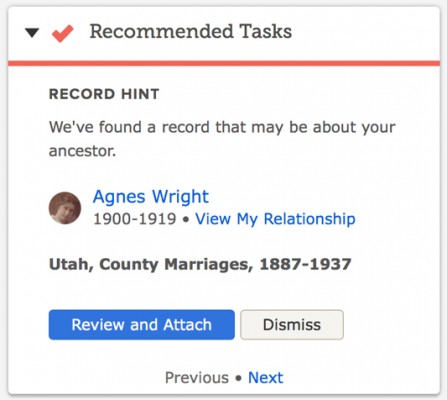
FamilySearch tree bulletFamilySearch is gradually rolling out a new homepage design. I’ve written about it before. Regular users have probably all started seeing it. The left side contains inspiring videos, tree-specific resources, and recently added photos, recordings, stories, and documents about your ancestors and their families (and advertisements, I might add). The right side contains a list of recently seen ancestors, recommended tasks, and a to-do list. For more information, see “New FamilySearch Design: Log In to Try It Out” on the FamilySearch Blog.

Bullet Ancestry.com“Ancestry recently announced the creation of a Tech and Product User Group in Utah with the goal of encouraging collaboration between companies across the Wasatch Front to solve difficult and interesting technology and science problems.” For more information, see “Ancestry Hosts First Tech/Product Meetup in New Lehi HQ” on the Ancestry Tech Blog.

Tuesday, October 18, 2016

FamilySearch Adds 141 Million New Record Hints

FamilySearch Record HintsTwo years ago FamilySearch added a feature (available on Ancestry.com for many years): record hints. FamilySearch compares names from its historical records with names in FamilySearch Family Tree. “When we put the data together for comparison and find high-scoring matches to people in your family tree, that’s what we call a hint,” explained Robert Kehrer, FamilySearch senior product manager. “In essence, the FamilySearch.org search engine is constantly working to make research discoveries for you without your having to do much more than login, validate what it found, and accept the hints.”

FamilySearch’s historical records contain five billion names. FamilySearch Family Tree contain 1.2 billion. Comparing the two in September, FamilySearch generated an additional 141 million hints over the 1.5 billion already found. Kehrer said 98.5% of the hints are accurate. Errors occur when persons in the tree have common names, are born in populated places, and have few known relatives, according to Kehrer. (I’m not too familiar with urban research, but it seems to me that companies don’t key enough identifying information about people in big cities. If they would key address, occupation, religion, and other differentiating information for people in big cities, it would be easier for users to find people and would improve the accuracy of their hint system. It shouldn’t be too hard to determine population levels necessitating the keying of additional information. FamilySearch and Ancestry don’t seem to understand the cost/benefit analysis.) Noteworthy among the new hints are those from the 1851 and 1881 England and Wales censuses.

To enlist the FamilySearch hinting system to find records of your ancestors, their names must exist in Family Tree. If they are not already there, you can add them at no cost. If you do, be prepared to defend your conclusions to other descendants. That’s not necessarily a bad thing; we should all be able to do that. Also, because of the uneven experience level of tree participants, expect to spend time teaching others with less experience.

For more information, see “FamilySearch Adds 141 Million Family History Record Hints” in the FamilySearch newsroom.

Monday, October 17, 2016

Monday Mailbox: Entering Unknown Persons in Family Tree

The Ancestry Insider's Monday MailboxDear Ancestry Insider,

I know nothing about the parents of my 4x-great-grandmother Mrs. Betsey Ann Embody. https://familysearch.org/tree/person/LJG2-R4G/details

However, from a newspaper report shortly prior to her death, I do know that she was visited by a sister, "Mrs. Hodge of Herkimer." I can create a person named "Mrs. Hodge" in the FamilySearch Family Tree, but to link them as siblings, I need to create at least one person who is a parent to both of these women.

Is there a best practice for naming these people so that I don't interfere with other users' searches and with FamilySearch's record hinting and duplicate matching? Or should I not be creating people when I know absolutely nothing about their names, and instead use notes to record this information until I learn more?

Thanks for any insight you can share.

Signed,
Jason Thompson

Dear Jason,

This is, indeed, a quandary. FamilySearch Family Tree—and any other tree system that I’m aware of—doesn’t support a true sister relationship. Under the covers, they only support parent-child and spouse-spouse relationship types. Under the covers, they also don’t have a placeholder feature for a parent of a person without a known surname. That’s not a problem in a personal tree. You do whatever suits you, such as creating a parent named “Parent of Betsey Ann [—?—]” and attaching both children. In a shared tree, you don’t have that latitude. You have a responsibility to the thousands of other users of the tree. Such a construct would be confusing and could lead to disastrous merges.

There’s also the issue of independent verification of the sister relationship. In my experience, people sometimes use relationship terms—like sister—ambiguously. I’ve found that particularly so in newspapers where the local town gossip—um, I mean “Around Town” newspaper reporter—makes unfounded assumptions. Mrs. Hodge may be a step-sister, a sister-in-law, or an organizational sister.

I would use the notes option. Reasonably exhaustive research may uncover Betsey Ann’s surname.

Signed,
The Ancestry Insider

Wednesday, September 21, 2016

John Huff and FamilySearch Family Tree – #BYUFHGC

John Huff at the BYU Conference on Family History and GenealogyJohn Huff of FamilySearch gave a presentation titled “Making Data Decisions in Family Tree” at the recent 2016 BYU Conference on Family History and Genealogy.

The goals and principles behind New FamilySearch (NFS) were to improve the accuracy, quality, and pace of genealogy work; to reduce duplication of data and effort; to preserve all contributions; to allow only the contributor to change their information; and to encourage addition of sources.

What ended up happening was frustration over duplicates that couldn’t be combined, confusion over using the system, continuation of the “mine” versus “ours” mindset, limits on what could be fixed, collaboration difficulties, and problems introduced by centralized, automated changes.

There were data issues. Some of the records came from Ancestral File and the merge algorithms used back in its time had “splinched” persons [think “Frankenstein monsters”]. There was overwhelming duplication which led to IOUSes (individuals of unusual size). These were terrible for the system. [You may recall when NFS was deployed in Arizona the IOUSes caused the system to continually crash.]

Combines caused problems. There was no attribution for who did the combine. It was much easier to combine than to separate. [I think it could take 10 hours to undo a bad 10 second combine.] Combining multiple persons into one created merge magnets that attracted further combines. FamilySearch found one with more than 50 persons combined together.

FamilySearch had to sit down and decide what to do. They decided to change some of the goals and mindset. The principles of Family Tree are similar to NFS, but FamilySearch really wants sources. And rather than keep every alternative value for an event, they would keep only one conclusion. They would provide better tools for the community to provide evidence and clean up the data. They would allow errors to be fixed and bad changes to be fixed as easily as it was to introduce them. They wanted to provide attribution of changes and impede bad ones.

To build a better tree, you need to act as a community. Be courteous, kind, cheerful, and patient. Be respectful of others. Leave things in a better state than you found them. Communicate and collaborate. Add an email and make it visible. Use the messaging system. If contributors won’t respond to messages, after making efforts to contact them, go ahead and make changes—based on evidence.

Only make changes that you know. Knowing means the best conclusion of the community. If you don’t know something, don’t add, edit, or delete. [I would add to that, if you don’t have evidence and proof.] Before making changes, review the reason statements, sources, discussions, notes, and memories. Contact contributors. Don’t mark persons as dead unless you know they are dead. Don’t add persons you aren’t sure existed. Put them in a personal tree. Keep notes of relevant person IDs when making merges; have the end in mind before starting the merge.

If you want to help people not make changes to your stuff, the best defense is a good offense. Provide good reason statements. There is a great article: “Reason statements for adding, editing, and deleting information” in the FamilySearch Help Center. [I half-way disagree with John’s appraisal. The first half is great. The second half is a great collection of unhelpful reason statements “I attached this birth certificate because it provides evidence about his birth.” As an alternative, I would direct you to a similar article in the wiki: “How to Write Effective "Reason" Statement in the FamilySearch Family Tree.” Or see this article in the FamilySearch blog: “Tips and Tricks: Writing a Good Reason Statement for Changing a Record.” But I digress…]

Search records, including partner websites. FamilySearch provides hints. They work very hard to make the hints good. John thought the accuracy to be about 99%.

Use the watch list. You can filter your watch list by name or ID or location. Search for “DEL” to see all the deletions. You can sort in all sorts of ways. The watch list can also show the changes that were made, including hiding those made by yourself. You can filter to those made by a particular user. You can filter by anything on the page because it actually does a word search.

Use the Possible Duplicates feature. If you indicate a person is not a match, Family Tree will no longer show it as a possibility, but it can be seen under the Not a Match link. Use Dismiss Suggestions and Dismiss Problems. If you see exact duplicate conclusions (such as alternate name), delete all but one.

FamilySearch doesn’t yet have a good answer for how to solve edit wars. They are going to come up with a solution, but there are other things that must be done first. If someone gets abusive, contact support. If you desire to change a read-only person, contact support and request a change. If you find living persons marked deceased, contact support to fix it.

We are working on a way to allow you to share a group of private persons, John said.

It is rare that you need to delete persons. Delete only those who truly never existed. [You can delete persons you create that haven’t been changed by others. Otherwise, contact support.] If you find a person wrongly deleted, it can be found in the change history of the surviving record or if you have the ID.

Deleting relationships is the secret weapon to fixing up family messes. Delete relationships instead of persons. Clean up after yourself. Don’t orphan the persons or they’ll never show up again.

There are a set of cases where you can’t merge. The most common are persons with unknown sex, persons who would have too many things like comments, a few IOUSes, or restricted persons, like Read Only persons.

Remember that the only thing that will be available 100 years from now will be the data, not the system.

Tuesday, September 20, 2016

MyHeritage Provides FamilySearch Source Button

Click to view an infographic

FamilySearch announced last week that MyHeritage is providing a button to create a source in FamilySearch’s Family Tree. When viewing a MyHeritage historical record the button is available below the record details.

A single click or tap of the button creates a source in Family Tree. To associate the source with the correct person in Family Tree, you must have initiated the search from the person’s Family Tree page.

Ancestry.com features similar functionality: Attach the record to a person in an Ancestry Member Tree, link that person to a person in FamilySearch Family Tree, and transfer the source. This feature is available only to members of The Church of Jesus Christ of Latter-day Saints.

For more information about the MyHeritage button, see “Family History Easy Button: Create New Sources in Family Tree from MyHeritage” on the FamilySearch blog.

Monday, August 15, 2016

Monday Mailbox: Frankenstein Monsters

The Ancestry Insider's Monday MailboxDear Ancestry Insider,

Just out of curiosity, since this has nothing to do with me—if [FamilySearch Family Tree] is a huge collective project, which it appears it is, and no one can delete a person unless they are the only ones who added the person and no one else has jumped in on it, how do you deal with what I can only imagine will eventually be thousands or tens of thousands of people—duplicates, misascribed children—who should not be there and can't be removed? My ggggrandmother's immediate family all became LDS (except for her), and the amount of well-meaning misinformation on the trees of her parents and siblings means many duplicated children with varying birthdates and children who never existed.I don't even link to most of my LDS relatives earlier trees because of this "noise." So how will they handle this problem?

Signed,
JudyBG

Dear JudyBG,

True duplicates are easy: merge them.

Misascribed children are easy: delete the parent-child relationship. If the actual parents are already in the Tree, attach the child to them.

Misascribed spouses are easy: delete the spousal relationship.

Truly imaginary persons are easy: ask FamilySearch to delete them.

The obvious Frankenstein monsters—combinations of persons already in the Tree—are easy: merge the Frankenstein with one of the source persons, ignoring inapplicable information. (For more information about what I mean by Frankenstein monster, see my article “Frankenstein Genealogy.”)

That’s it for the easy ones. The remaining Frankenstein monsters are the things nightmares are made of.

Just kidding. While difficult, it will be straightforward. Of course you have followed the genealogical proof standard in the instance of your ancestor. You have proved all the facts. You know what your ancestor looked like. FamilySearch suggests creating your ancestor from scratch with the facts you have proved, their associated sources, and their proof statements/summaries/arguments. Mark the two—your ancestor and the monster—as “not a match,” providing a good explanation. If someone tries to merge the two, your explanation is shoved in their face, which will dissuade most people from merging them. I think it wise to throw something in at the beginning of the life sketch as well, since they are displayed at the top of the merge comparisons.

But what is to be done with the monster? I’ve heard someone say that as a good member of the community, you should clean up the monster, that it is particularly important if the monster is left floating without relationships. That’s fine in theory. But one should never make changes in Family Tree without proof, and you probably have not researched the persons composing the monster.

You should not delete the parts of the monster that are in common with your ancestor. While your ancestor may have been the only child born on that date in that village, one of those two facts may apply to a real person trapped inside the monster.

You should not suggest that FamilySearch delete the monster. You may be deleting one or more real persons imbedded in the monster that exist no where else in the tree. In the worst case scenario (I’m good at imagining those), if all other records are no longer available, one of those real persons may be documented no where else.

You shouldn’t delete any of the facts associated with the monster and you shouldn’t delete the monster. That’s the nightmare.

Signed,
---The Scared-of-Monsters Insider

Wednesday, July 13, 2016

FamilySearch Family Tree Outage Minimal

FamilySearch Family Tree Now Overshadows NFSThe scheduled outage and system upgrade of FamilySearch on 27 June 2016 seems to have gone smoothly. The upgrade is an attempt to prevent performance problems. The upgrade provides “a new technology that should provide better scaling with traffic,” said FamilySearch’s Joe Martel. “That means as more people use the site it shouldn't bog down.” If the upgrade was successful, Sunday afternoon system failures should be a thing of the past.

The upgrade included breaking the synchronization link between FamilySearch Family Tree and the archaic New FamilySearch (NFS), said Ron Tanner, Family Tree product manager. The most touted benefits of the break are the ability to merge IOUSes (“Individuals of Unusual Size”) and the cessation of stupid data changes attributed to the FamilySearch or LDS Membership accounts.

Joe said that another benefit of the new system is that FamilySearch will be able to improve and enhance features faster.

“The cutover was a HUGE effort,” Joe said. “Hat's off to the engineering teams and planning that went into this.” According to fellow blogger Renee Zamora, the system was scheduled to go offline at 12:30 Monday morning. While FamilySearch had warned users the outage could go 24 hours, Holly Hansen reported on Facebook that it was back online by 6:00am.

I haven’t heard any reports of significant problems with the new system. “I'm guessing we'll see a few glitches but nothing monumental has turned up,” Joe said. I’ve seen minor issues. (There was a report that you can’t directly change a name from uppercase to mixed case. There was a report that %22 replaced quotation marks in custom facts.). I’ve seen comments about the system being faster. Joe has said that FamilySearch will need to tune the new system configuration.

There will still be situations where merging persons is not possible according to Ron, but the system will tell you the exact reason. “There are some restrictions we had to put in place for those with lots of relationships, etc.” A merge is not allowed if the combined person exceeded certain limits. According to Renee, these are the current limits:

  • Note length: 10,752 characters
  • Person notes: 50, characters 215,040
  • Relationship notes 12, characters 129,024
  • All person and relationship notes characters: 386,320
  • Conclusions: 200
  • Person source: 200
  • Relationship source: 50
  • Memories: 1000
  • Person not a match: 400
  • Discussions: 20
  • Couple relationships: 200
  • Sets of parents: 50
  • Number of children: 400

Ron says these numbers are changing as needed. I’ve already seen a report that the parent limit has changed to 100 and discussions to 50.

FamilySearch calls the new system “Tree Foundation,” according to FamilySearch engineer, Randy Wilson. It uses a database technology called Cassandra. “Our relational database just couldn’t be made to go much faster and so there was concern that Family Tree would tip over at some point soon,” he said. The new system can “scale horizontally.” That means that FamilySearch can easily add more computer servers to meet demand. “That doesn’t necessarily mean that response time will be faster, but, rather, that more people should be able to use it at once,” Randy said. He noted that this technology change will not magically fix all performance problems, but the change eliminates a fundamental bottleneck that was important to fix.

Monday, July 11, 2016

Monday Mailbox: Alternatives to RootsWeb WorldConnect

The Ancestry Insider's Monday MailboxDear Ancestry Insider,

RootsWeb/FamilySearch/Ancestry--I've worked 20 years on Ancestry.com and joined RootsWeb only to find entirely too much work involved updating families. I used GEDCOM to transfer info. My unsuccessful try at Family Search gave me much incorrect information I gave up on that site; that was a hassle, also. I'm up there in years and find genealogy exhausting for me. Should I continue RW or stay with FS? How can I make the transition easier?

Signed,
Vivian Newkirk

Dear Vivian,

If you are going to participate in FamilySearch's Family Tree, you need to buy into the objective of everyone collaborating to build a single tree reflecting mankind. It's more work than doing your own thing because you have to budget time for interactions with other genealogists and you must budget time for teaching people with less genealogical maturity than you (and perhaps learning from others as well, if you are wise). Without your assistance, other with less experience may corrupt the information you contribute.

FamilySearch also has a tree farm like RootsWeb's WorldConnect. It is called FamilySearch Genealogies and replaces the old Pedigree Resource Files offering. Expect it to take the same amount of work as RootsWeb to keep it up to date, plus the extra time it will take you to learn a new system.

There are a number of interactive, online family tree managers. I only follow FamilySearch and Ancestry, so I can't intelligently comment on others. I'm unclear as to whether you have an Ancestry Member Tree. That is another option. If you haven't used it, there will be a learning curve. Further, your tree will not be freely visible to everyone on the Internet. You decide if that is a good thing or a bad thing.

Fold your desktop family tree manager into the mix and things may change. What desktop program do you wish to use?

Signed,
---The Ancestry Insider

Tuesday, June 21, 2016

FamilySearch Announces Shutdown, Upgrade

imageUsers of FamilySearch started seeing a banner last week indicating the website would shutdown Monday, 27 June 2016 at midnight MDT (2:00am EDT). The banner warned that the shutdown could be as long as 24 hours. The banner stated that the reason was a “technical upgrade.” I assume that means the basic functionality will be unaffected.

This is big, folks. Nobody shuts their website down for up to 24 hours. Something really important must be in the works.

This announcement comes on the heels of a beta test of the system to break the link between New FamilySearch (NFS) and FamilySearch Family Tree (announced publicly by FamilySearch’s Joe Martel, “Preparing to Stop Synchronizing Between nFS and FamilyTree, on Beta” on the FamilySearch feedback system.) The test was held Friday, 17 June.

NFS is the legacy system that has been hobbling Family Tree from its inception. At RootsTech earlier this year, Ron Tanner explained that even though you can’t directly interact with it, NFS continues to inhibit system functionality. (See “#RootsTech: Ron Tanner – Family Tree in 2016 and Beyond” on my blog.) When the link between NFS and FamilySearch can be broken, a bunch of issues go away.

  • Because of the current interdiction of NFS, you cannot merge persons that, in NFS, are Individuals of Unusual Size (IOUS). In a list of possible duplicates, you sometimes see the message “Can’t Be Merged At This Time.” (Ron showed an example.) Once NFS is eliminated, you will be able to merge IOUS duplicates.
  • NFS was built so that gender could never be changed. Once NFS is eliminated you will be able to.
  • Today there are times when you delete a relationship and it “magically” reappears, with the change attributed to FamilySearch. This occurs when the NFS architecture prevents the deletion from NFS. When synchronization occurs between Family Tree and NFS, the deleted relationship comes back.
  • There is a tight relationship between NFS and “LDS Church Membership” which is causing issues. (See “'Barrage of Records' Causing Problems” on my blog.) When the link between NFS and Family Tree is broken, those issues go away. (See Ron Tanner’s response to “FamilySearch Managers are Treating Patrons with Disdain” on the FamilySearch feedback system.)
  • According to Ron Tanner, if a person is linked to an LDS Church Membership record, that person can not be merged into another person, although the reverse (merging a person into the person linked to the membership record) is possible.

It turns out that after the link between NFS and Family Tree is broken, there will still be fairly common times when two persons in Family Tree cannot be merged. (See “Preparing to Stop Synchronizing Between nFS and FamilyTree, on Beta” on the FamilySearch feedback system.)

  • The number of notes between the two persons exceeds 20.
  • One of the persons is read-only. For an example, see Sarah Royce (KND8-1SY). Or one of the persons is a child, parent, or spouse of a read-only person.

It will be great if next week we finally rid ourselves of NFS.